
Author name: Vikash Parihar

Vikash Parihar is Dynamic Methods' Business Development Manager, leveraging 10 years of industry experience. His forward-thinking strategies and effective networking contribute significantly to our business growth and expansion.

vikash parihar
social media app development

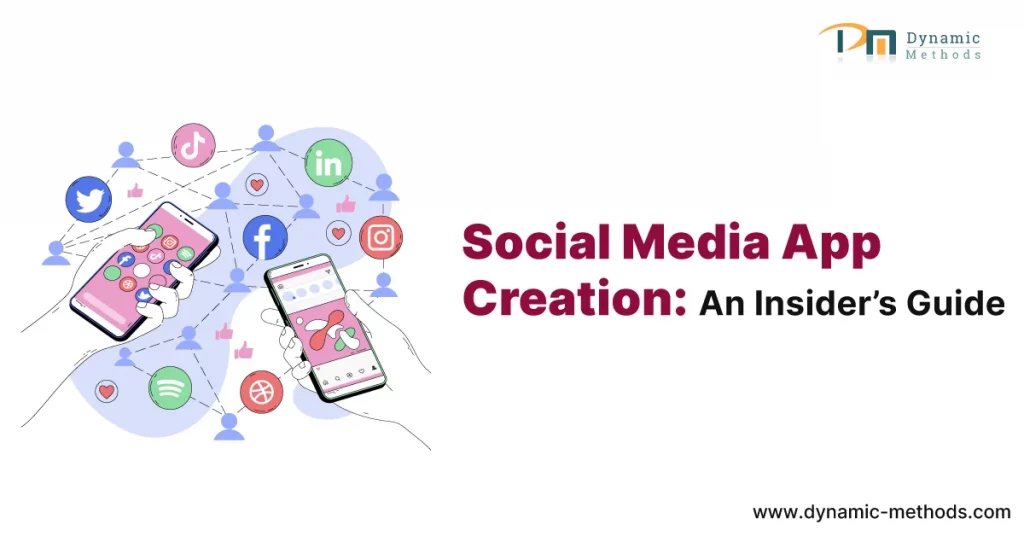
The Social Revolution: An Insider’s Guide to Social Media App Development

social media app development

Introduction

In today’s era of technology, social media has seamlessly woven itself into the fabric of our daily lives. From connecting with friends and family to sharing our thoughts and experiences, social media platforms have changed the way we communicate and interact with the world. If you’ve ever wondered how these apps are created, you’re in the right place! In this beginner’s guide, we’ll take you through the fascinating world of social media app development. Whether you’re a curious newcomer or an aspiring developer, we’ll break down the process into easy-to-follow steps, offering valuable insights along the way.

1. Understanding the Landscape

Before delving into social media app development, it’s essential to grasp the landscape. In this section, we’ll explore the various aspects that make social media apps tick.

1. What Makes a Social Media App?

Social media apps come in various forms, but they all share some common elements. These apps allow users to create profiles, connect with others, and share content. Additionally, they often feature features such as likes, comments, and sharing options.

2. The Power of Engagement

Interaction and active participation form the beating heart of every social media platform. Users should find your app interesting and engaging to keep coming back. Interactivity, fresh content, and a user-friendly interface are key elements that contribute to high engagement rates.

2. Choosing Your Platform

Now that you understand the basics, it’s time to decide which platform you’ll develop your social media app for. Each platform has its unique characteristics and user base.

1. Mobile vs. Web

You have two primary choices: mobile or web. Mobile apps offer a more immersive user experience, with features like push notifications. Web apps, on the other hand, are accessible on any device with a browser. Consider your target audience and your app’s specific features when making this choice.

2. iOS, Android, or Both?

If you opt for a mobile app, you’ll need to decide whether to develop for iOS and Android or both. While Android has a larger market share, iOS users tend to spend more on in-app purchases. Carefully consider the advantages and disadvantages to ensure you make the most fitting decision.

3. The Development Process

Now that you’ve made some key decisions, let’s dive into the development process itself. Let me walk you through each step with this comprehensive guide to kickstart your journey.

1. Idea and Concept

Every successful social media app starts with a unique idea. What problem does your app solve? Who is your target audience? Answer these questions to shape your app’s concept.

2. Market Research

Research your competition and the needs of your potential users. This will help you refine your concept and identify gaps in the market that your app can fill.

3. Design and User Interface (UI/UX)

The design of your app plays a crucial role in user engagement. Hire a skilled UI/UX designer to create an intuitive and visually appealing interface.

4. Development

This is where the coding begins. Depending on your choice of platform, you’ll need to use programming languages like Swift (iOS), and Kotlin (Android), or web technologies like HTML, CSS, and JavaScript for web apps.

5. Testing

Thoroughly examine your app to uncover and resolve any glitches or problems. User feedback during this stage is invaluable for improving your app’s performance.

4. Features and Functionality

To create a successful social media app, you’ll need to include essential features that users expect. Let’s explore some of these key functionalities.

1. User Profiles

Users should be able to create profiles with photos, usernames, and personal information. Consider adding features like customizable profiles or bios.

2. Social Connectivity

Allow users to connect with friends and followers. Implement features like friend requests, following, and followers.

3. Content Sharing

Enable users to share various types of content, such as text, images, videos, and links. Implement features like comments, likes, and sharing options.

5. Monetization Strategies

Creating a social media app can be a rewarding endeavor, but it’s essential to consider how you’ll generate revenue. Here are some popular monetization strategies:

1. In-App Advertising

Display targeted ads to users based on their preferences and behaviors. This can be a significant source of revenue, especially if your app has a large user base.

2. Freemium Model

Offer a free version of your app with basic features and a premium version with additional perks. Users have the option to access extra features by upgrading to the premium version for a small fee.

3. In-App Purchases

Allow users to buy virtual goods, premium content, or special features within the app. This can be highly profitable for gaming and social networking apps.

6. Launch and Marketing

After all the hard work, it’s time to launch your social media app and get it into the hands of users. Effective marketing plays a pivotal role in ensuring a triumphant launch.

1. App Store Optimization (ASO)

Enhance your app’s visibility on app stores by employing pertinent keywords, captivating descriptions, and attention-grabbing visuals

2. Social Media Marketing

Leverage other social media platforms to promote your app. Create engaging content, run targeted ads, and engage with potential users.

3. User Feedback and Iteration

Pay attention to user feedback and consistently enhance the quality of your app. Regular updates and enhancements will keep users engaged and satisfied.

Conclusion

Embarking on the journey of mobile app development can be both exciting and challenging. By understanding the landscape, choosing the right platform, following the development process, implementing essential features, and exploring monetization and marketing strategies, you’re well on your way to creating a successful social media app.

Dynamic methods provides top-notch mobile application development services at affordable prices. Remember that the social media landscape is ever-evolving, so staying up-to-date with industry trends and user preferences is essential. With dedication, creativity, and a solid plan, you can join the ranks of successful social media app developers and contribute to the ongoing social revolution. Get in touch with us.

FAQs

1. What skills do I need to start developing a social media app as a beginner?

Whether you’re a beginner or an experienced developer, understanding the fundamentals of programming languages like Java, Swift, or HTML/CSS is essential. Additionally, knowledge of mobile app development frameworks like React Native or Flutter can be advantageous.

2. How do I come up with a unique idea for my social media app?

Brainstorming and market research are key. Consider the problems users face on existing platforms, identify gaps in the market, and aim to offer a solution that sets your app apart.

3. What's the importance of user experience (UX) in social media app development?

User experience is critical. A seamless and intuitive interface encourages user engagement and retention. Investing in a skilled UI/UX designer can make a significant difference.

4. Do I need a large budget to develop a social media app?

The budget required depends on the complexity of your app and your development approach. You can start with a minimal viable product (MVP) and gradually scale up as your user base grows.

5. How can I protect user data and ensure privacy in my social media app?

Data security and user privacy are paramount. Implement encryption, secure authentication processes, and comply with data protection regulations like GDPR or CCPA.

6. What are some effective user acquisition strategies for a new social media app?

Leveraging social media marketing, influencer partnerships, and word-of-mouth referrals can help attract users. Additionally, optimizing your app store listings can improve visibility.

7. What's the best way to handle user-generated content and prevent abuse on my platform?

Implement content moderation systems and community guidelines to ensure a safe and positive environment. Utilize automated tools and human moderators to filter out inappropriate content.

8. What are the common challenges in social media app development?

Challenges may include dealing with scalability as your user base grows, staying updated with evolving social media trends, and navigating the competitive landscape.

9. How can I monetize my social media app successfully?

You can monetize through in-app advertising, freemium models, in-app purchases, or even subscription plans. The choice depends on your app’s target audience and content.

10. Is it essential to keep my social media app continuously updated?

Yes, regular updates are crucial. They not only fix bugs but also introduce new features, improve performance, and show users that you’re committed to providing a quality experience.

11. What are some inspiring success stories in the field of social media app development?

Learning from the success stories of apps like Facebook, Instagram, and TikTok can offer valuable insights into the industry and its growth potential.

12. Are there any ethical considerations I should be aware of in social media app development?

Absolutely. Ethical considerations include data privacy, content moderation, and ensuring that your app promotes positive interactions while minimizing harm.

The Social Revolution: An Insider’s Guide to Social Media App Development Read More »

Mobile App Development with Flutter

Mastering Mobile: The Ultimate Guide to Building Apps with Flutter

Mobile App Development with Flutter

Are you ready to embark on an exciting journey into the world of mobile app development? “Mastering Mobile: The Ultimate Guide to Building Apps with Flutter” is your passport to becoming a proficient mobile app developer using the Flutter framework.

In this comprehensive guide, we will cover everything you need to know, from the basics to advanced techniques, ensuring you gain the expertise to create stunning mobile applications. Let’s dive in!

Understanding Flutter: An Introduction

Before we delve into the intricacies of mobile app development with Flutter, let’s get to know the framework itself. Flutter is an open-source UI software development kit created by Google. It is designed to build natively compiled applications for mobile, web, and desktop from a single codebase. The beauty of Flutter lies in its simplicity, speed, and expressive user interface, making it the ideal choice for both beginners and experienced developers.

The Power of Flutter: Why Choose It?

If you’re wondering why you should choose Flutter for your mobile app development endeavors, here are a few compelling reasons:

Getting Started with Flutter

Installing Flutter

To begin your journey with Flutter, you need to install it on your development machine. Follow these simple steps:

1. Download Flutter: Visit the official Flutter website and download the latest stable release.

2. Extract the Archive : Once downloaded, extract the archive to your preferred location.
3. Set Up Environment Variables : Add the Flutter bin directory to your system’s PATH variable.
4. Verify Installation : Open your terminal and run flutter –version to verify that Flutter is correctly installed.

Creating Your First Flutter App

With Flutter installed, it’s time to create your first app. Follow these steps:
1. Open Terminal : Open your terminal or command prompt.
2. Navigate to Workspace : Use the cd command to navigate to your desired workspace where you want to create the app.
3. Create a New App : Run the command flutter create my_first_app to create a new Flutter app named “my_first_app.”
4. Run the App : Run Navigate into the app directory (cd my_first_app) and run the app using flutter run.

Mastering Mobile: The Ultimate Guide to Building Apps with Flutter

Flutter Widgets: The Building Blocks

In your journey to mastering mobile app development with Flutter, understanding widgets is crucial. Widgets are the building blocks of Flutter apps, and they are used to construct the user interface. Here are some essential widgets you should be familiar with:

State Management in Flutter

State management is a fundamental concept in Flutter. It’s how you manage and update the data and user interface of your app. Flutter offers various state management approaches, including:

Conclusion

Congratulations! You’ve embarked on a journey to mastering mobile app development with Flutter. From the basics of installation to advanced techniques, you now have a solid foundation to create impressive mobile applications. Remember, practice makes perfect, so keep coding and exploring the endless possibilities Flutter offers.

Ready to bring your app idea to life with Flutter? Dynamic Methods has an expert team of mobile application development services. Contact us today to discuss your project and get started on your mobile app development journey.

FAQs

1. How long does it take to learn Flutter app development?

Learning Flutter can vary from person to person, but with dedication and practice, you can become proficient in a few months.

2. Do I need to know Dart to use Flutter?

Yes, Flutter uses the Dart programming language. Familiarity with Dart is beneficial but not mandatory.

3. Can I publish Flutter apps on both Android and iOS?

Absolutely! Flutter allows you to create apps that can be published on both Android’s Google Play Store and Apple’s App Store.

4. Is Flutter suitable for beginners?

Yes, Flutter’s user-friendly framework makes it an excellent choice for beginners who want to get into mobile app development.

5. Are there any notable apps built with Flutter?

Yes, some well-known apps like Alibaba, Google Ads, and the New York Times have been built with Flutter.

6. Where can I find Flutter resources and support?

You can join the Flutter community on platforms like GitHub and Stack Overflow for resources, tutorials, and support.

Mastering Mobile: The Ultimate Guide to Building Apps with Flutter Read More »

User-Centric Design

User-Centric Design in Software Product Development: Creating Delightful Experiences

User-Centric Design
In the fast-paced realm of software product development, one key factor stands out as a beacon of success—User-Centric Design. This approach isn’t just a trend; it’s a fundamental philosophy that can make or break your software product. In this comprehensive guide, we’ll delve deep into User-Centric Design, understand its importance, and learn how it leads to crafting exceptional user experiences.

User-Centric Design in Software Product Development goes beyond being a mere buzzword; it’s a mindset that places the user at the core of the development process. By comprehending user needs, preferences, and pain points, we can create software that not only functions seamlessly but also delights its users.

The Fundamentals

What Exactly Is User-Centric Design?

User-Centric Design, often referred to as UCD, is an iterative design process that revolves around user needs and feedback. It entails continuous testing, evaluation, and refinement to ensure that the final product aligns perfectly with user expectations.

Why Is User-Centric Design Crucial?

User-Centric Design is pivotal because it results in higher user satisfaction, reduced development costs, and increased user retention. By putting users first, you’re more likely to create a product that deeply resonates with your target audience.

The Profound Benefits

1. Elevated User Satisfaction: When users feel that your software comprehends and addresses their needs, they are more likely to be satisfied and loyal
2. Trimmed Development Costs: By identifying and addressing user issues early in the development process, you can avoid costly rework in the later stages.
3. Heightened User Retention : Delighted users are not only more likely to continue using your software but also to recommend it to others, amplifying your user base.

Implementing User-Centric Design

Steps to Achieving Success

1. User Research: Commence by gaining a profound understanding of your target audience. Conduct surveys, interviews, and usability tests to gather valuable insights.
2. Create User Personas: Develop user personas that represent different segments of your audience. This aids in designing for specific user needs and expectations.
3. Prototyping: Build prototypes and actively seek user feedback to refine your design. This iterative process ensures that your software aligns seamlessly with user expectations.
4. Usability Testing: Continuously test your software with real users to identify and rectify any usability issues. This process ensures that your software is not only functional but also user-friendly.

User-Centric Design in Action

Real-Life Illustrations

1. Apple’s iPhone : Apple’s relentless focus on user experience, from the intuitive interface to the sleek design, serves as a prime example of User-Centric Design in action.
2. Google Search: Google’s simplicity and swiftness in providing search results cater to users’ need for quick and relevant information, embodying User-Centric Design principles.

Conclusion

User-Centric Design in Software Product Development: Crafting Exceptional User Experiences isn’t just a technique; it’s a mindset shift. By prioritizing users and their needs, you can create software that not only functions flawlessly but also leaves users delighted. Remember, it’s not just about writing code; it’s about crafting experiences.
Embark on your journey toward creating exceptional user experiences by embracing User-Centric Design. Your users will thank you, and your software will thrive.

Frequently Asked Questions

1. How does User-Centric Design differ from traditional design approaches?

User-Centric Design stands apart by continually prioritizing user needs and feedback throughout the development process, ensuring a more user-friendly end product.

2. Is User-Centric Design solely applicable to software development?

No, User-Centric Design principles can be applied to various fields, including product design, web development, and even customer service, enhancing user experiences across the board.

3. What if user feedback conflicts with the project's vision?

Balancing user feedback with the project’s vision is vital. Strive for a compromise that preserves the core vision while addressing user concerns to achieve the best possible outcome.

4. How can small businesses implement User-Centric Design with limited resources?

Small businesses can initiate the process with basic user research and gradually integrate User-Centric Design principles into their development process as they grow.

5. Are there any tools or software that can assist in User-Centric Design?

Yes, a plethora of tools like user testing platforms, prototyping software, and analytics tools are available to aid in implementing User-Centric Design effectively.

6. What lies in the future of User-Centric Design?

User-Centric Design is here to stay and will evolve alongside technology. As technology advances, so will the methods and tools used in UCD, continually improving user experiences.

User-Centric Design in Software Product Development: Creating Delightful Experiences Read More »

supercharging app development with React Native

Supercharging Your App Development: Unleashing the Full Potential of React Native

supercharging app development with React Native

In the rapidly evolving landscape of mobile app development, React Native has emerged as a game-changer. Its ability to enable cross-platform development while delivering native-like performance has made it a popular choice among developers and businesses alike.

However, to truly harness the full potential of this powerful framework, understanding and implementing its advanced features are essential.

In this in-depth article, we will delve into the world of supercharging app development with React Native’s advanced capabilities. We will explore best practices, tips, and tricks that will elevate your app development process to new heights, delivering top-notch experiences to your users.

Supercharging Your App Development: Advanced Features of React Native

In this section, we will explore the various advanced features of React Native that empower developers to build powerful and dynamic mobile applications. Let’s dive in!

1. High-Performance Animations with Animated API

The Animated API in React Native unlocks the potential to create smooth and engaging animations that enhance the user experience. By using declarative syntax and interpolation functions, developers can easily animate components, gestures, and transitions. Embracing this feature will make your app visually appealing and set it apart from the competition

2. Leveraging Native Modules

React Native allows developers to bridge the gap between native code and JavaScript using native modules. By integrating native modules, you gain access to platform-specific functionalities, hardware features, and third-party SDKs.

This capability opens up a world of possibilities for enhancing your app’s capabilities and providing a seamless user experience.

3. Optimizing Performance with Hermes

Hermes, an open-source JavaScript engine, is designed to optimize the performance of React Native apps. It achieves this by optimizing memory usage and startup time, resulting in faster and more responsive applications. Integrating Hermes into your project ensures your app performs efficiently even on low-end devices.

4. Code Reusability with React Native Web

React Native Web extends the power of React Native to web platforms, enabling you to share a significant portion of your codebase between mobile and web applications. This feature promotes code reusability, reduces development time, and ensures a consistent user experience across multiple platforms.

5. Implementing Push Notifications with Firebase Cloud Messaging

Enhance user engagement and retention by incorporating push notifications into your React Native app. By integrating Firebase Cloud Messaging, you can send targeted and personalized notifications to users, keeping them informed and connected with your app.

6. Offline Support with AsyncStorage

The AsyncStorage API in React Native enables offline data storage and retrieval. By caching data locally, your app remains functional even when the user is offline, providing a seamless experience and improving user satisfaction.

7. Integrating Gesture Recognizers

React Native offers built-in gesture recognizers that allow you to add touch-based interactions to your app. Whether it’s pinch-to-zoom, swipe gestures, or drag-and-drop functionalities, leveraging gesture recognizers significantly enhances the user interface and overall user experience.

8. Securing Your App with App Transport Security

Incorporating App Transport Security (ATS) in your React Native app ensures secure network communication by enforcing best practices for data transmission. By default, ATS is enabled on iOS, but you can configure it to meet your app’s specific security requirements.

9. Internationalization and Localization with i18n

Catering to a global audience requires supporting internationalization and localization in your app. By using i18n libraries, you can easily translate and adapt your app’s content, UI, and user interactions to different languages and regions.

10. Building Custom Native Components

React Native allows you to create custom native components that seamlessly integrate with the rest of your app. Building custom native components enables you to achieve a level of customization and performance that may not be possible with standard React Native components.

11. Enhancing App Navigation with React Navigation

Effective navigation is crucial for delivering a smooth and intuitive user experience. React Navigation provides a powerful solution for implementing navigation patterns, including stack, tab, and drawer navigators, empowering developers to create sophisticated navigation flows.

12. Real-time Data Sync with GraphQL

GraphQL is an excellent choice for real-time data synchronization in React Native apps. By using GraphQL, you can retrieve precisely the data you need and receive updates in real time, reducing network usage and providing a seamless user experience.

13. Augmented Reality with React Native AR

Push the boundaries of user experience by integrating augmented reality (AR) features into your app using React Native AR libraries. AR capabilities can transform how users interact with your app, opening up possibilities for gaming, shopping, and educational applications.

14. Testing with Detox

Automated testing is crucial for ensuring the quality and reliability of your app. Detox, a popular end-to-end testing framework for React Native apps, enables developers to write comprehensive test suites and identify and fix issues early in the development process.

15. Advanced State Management with Redux

As your app grows in complexity, managing state becomes increasingly challenging. Redux, a powerful state management library, allows you to manage the entire state of your app in a single store. Integrating Redux can simplify state management and improve the maintainability of your app.

16. Optimizing App Performance with Performance Profiling

To identify and resolve performance bottlenecks, React Native provides performance profiling tools. By analyzing your app’s performance, you can optimize its speed and responsiveness, resulting in a superior user experience.

17. Voice Recognition with React Native Voice

Voice recognition has become an integral part of modern mobile applications. With React Native Voice, you can easily integrate voice recognition functionalities into your app, enabling voice commands and dictation capabilities.

18. Rich Media with React Native Image and Video

To deliver visually appealing content, React Native offers robust support for handling images and videos. Leveraging React Native’s image and video components, you can display and manipulate multimedia content with ease.

19. Building Cross-Platform AR/VR Apps

Expand the horizons of your app by combining React Native with AR/VR technologies. Building cross-platform AR/VR apps can provide unique and immersive experiences for your users, making your app stand out in the market.

20. Background Task Execution with Headless JS

With Headless JS, you can execute tasks in the background, even when your app is not running in the foreground. This capability is particularly useful for performing periodic background tasks, such as fetching data or sending notifications.

21. Advanced Debugging with React Native Debugger

When developing complex React Native apps, effective debugging becomes essential. React Native Debugger is a powerful tool that provides a comprehensive debugging environment, enabling developers to identify and resolve issues efficiently.

22. Implementing Biometric Authentication

Enhance the security of your app by implementing biometric authentication using React Native’s Biometric API. This feature allows users to access the app using their fingerprint or face ID, offering a seamless and secure login experience.

23. Advanced Camera Functionalities

For apps requiring camera functionalities, React Native provides several powerful libraries to handle camera features, such as capturing images, recording videos, and applying real-time filters.

24. Real-time Chat with Socket.IO

For apps that require real-time communication, Socket.IO can be a valuable addition. It enables bidirectional, event-based communication between the server and client, making it an ideal choice for implementing real-time chat features

25. Making Apps Accessible with AccessibilityInfo

Creating inclusive apps that cater to users with disabilities is essential. React Native’s AccessibilityInfo API allows you to make your app accessible by providing important information about the app’s accessibility features.

Conclusion

In conclusion, React Native offers a treasure trove of advanced features that can supercharge your app development journey. By leveraging these capabilities, you can create high-performance, feature-rich, and visually stunning mobile applications that leave a lasting impression on your users.

Embrace the power of React Native’s advanced features, explore the vast array of libraries and tools, and stay updated with the latest advancements in the React Native ecosystem.

With dedication, creativity, and a deep understanding of these advanced features, you can take your app development skills to new heights and create groundbreaking experiences for your users.

Dynamic Methods is a top-rated mobile application development company. We develop captivating mobile applications that promote corporate achievement by utilizing state-of-the-art techniques and technologies. Talk with us.

Your Turn!

We’d love to hear from you! Share your thoughts, experiences, and any exciting apps you’ve developed using React Native’s advanced features. Don’t forget to like and share this article with your fellow developers to spread the knowledge.

FAQs

1. Can I use React Native for both iOS and Android app development?

Yes, React Native is a cross-platform framework that allows you to build apps for both iOS and Android using a single codebase.

2. Is React Native suitable for building complex and feature-rich apps?

Absolutely! React Native’s advanced features and extensive library ecosystem make it an excellent choice for building sophisticated and feature-rich mobile applications.

3. What are the key advantages of using React Native in app development?

React Native offers advantages such as code reusability, faster development cycles, a vibrant community, and the ability to leverage native functionalities.

4. How can I optimize the performance of my React Native app?

You can optimize performance by using tools like Hermes, performance profiling, and minimizing unnecessary renders.

5. Does React Native support third-party integrations?

Yes, React Native supports native modules, making it easy to integrate third-party SDKs and hardware functionalities

6. Is it possible to develop AR/VR apps using React Native?

Yes, React Native can be combined with AR/VR technologies to create cross-platform AR/VR applications

Supercharging Your App Development: Unleashing the Full Potential of React Native Read More »

flutter vs native: Best choice mobile app developemnt

Flutter vs Native: Which is the Best Choice for Your Next Mobile App?

flutter vs native: Best choice mobile app developemnt

In the fast-paced world of mobile app development, choosing the right technology can significantly impact the success of your project. Flutter and Native are two popular choices, each with its unique strengths and weaknesses.

This article aims to provide a detailed analysis of Flutter and Native app development, helping you make an informed decision for your next mobile app project.

Flutter: A Versatile Cross-Platform Framework

Flutter is Google’s open-source UI software development toolkit, widely known for its capability to create beautiful and high-performing apps across multiple platforms using a single codebase. Let’s dive into the aspects that make Flutter a compelling choice:

1. Hot Reload for Efficient Development

Flutter’s “Hot Reload” feature is a game-changer for developers. It allows real-time code updates, making the development process faster and more efficient. Developers can instantly see the changes they make, reducing turnaround time and facilitating faster bug fixes.

2. Consistent UI Across Platforms

With Flutter, you can achieve a consistent user interface and user experience across various platforms. This uniformity is crucial in building a cohesive brand image and delivering a seamless user experience.

3. Rich Widget Library

Flutter offers a vast array of pre-built widgets, making it easy to implement various UI elements. These widgets can be customized, saving development time and effort.

4. Single Codebase for iOS and Andro

One of the most significant advantages of using Flutter is the ability to write a single codebase that works on both iOS and Android platforms. This leads to reduced development costs and faster time-to-market.

5. Strong Community Support

Flutter has a vibrant and active community of developers who constantly contribute to its growth. The community provides extensive documentation, plugins, and packages, making the development process more accessible.

6. Fast Performance

Flutter apps are known for their excellent performance. The framework uses the Skia graphics library, which enables smooth animations and a delightful user experience

Native: The Traditional Approach

Native app development involves writing separate codebases for each platform (iOS and Android) using the official programming languages and tools provided by Apple and Google. Let’s explore the strengths of Native app development:

7. Platform-Specific Performance Optimization

Native apps can leverage the full capabilities of the underlying platform, resulting in optimized performance and seamless integration with the device’s features.

8. Access to Latest Features

Native development provides immediate access to the latest features and updates introduced by the platform, allowing developers to stay at the forefront of mobile technology.

9. Native User Experience

By adhering to platform-specific design guidelines, Native apps offer a familiar user experience, increasing user engagement and satisfaction.

10. Broad Market Reach

Both the Apple App Store and Google Play Store have vast user bases. Developing a Native app allows you to tap into these existing markets and reach a broader audience.

11. Enhanced Security

Native apps often benefit from enhanced security measures provided by the platform, ensuring robust protection of user data.

Comparing Flutter and Native: A Head-to-Head Comparison

Now that we have explored the strengths of Flutter and Native individually, let’s compare them side by side:

Flutter Vs. Native: Which is the Best Choice for Your Next Mobile App?

Choosing between Flutter and Native for your next mobile app development project is a critical decision that requires careful consideration. Let’s take a deeper look at the factors to consider when making your choice:

1. App Complexity and Functionality

Consider the complexity and functionality of your app. If your app requires advanced platform-specific features and integrations, Native development might be more suitable.

However, for relatively simple apps with standard UI components, Flutter’s cross-platform capabilities can save time and effort.

2. Development Team Expertise

Assess the expertise of your development team. If your team is experienced in platform-specific languages like Swift or Kotlin, Native development might be a natural choice.

On the other hand, if your team is well-versed in Dart (Flutter’s programming language), Flutter development could be a smoother process.

3. Time-to-Market

Time-to-market is a crucial factor in app development. Flutter’s single codebase and “Hot Reload” feature can expedite development, making it a preferred choice when speed is a priority.

4. User Interface and Experience

Consider the desired user interface and experience. Flutter’s widget library offers a wide range of customizable components, while Native development allows you to leverage platform-specific design elements for a familiar user experience.

5. Budget Constraints

Budget considerations play a significant role in any project. Flutter’s cross-platform approach can reduce development costs by eliminating the need to maintain separate codebases for iOS and Android.

6. Long-Term Maintenance

Think about the long-term maintenance of your app. Native development may require platform-specific updates and maintenance, while Flutter’s single codebase might ease ongoing maintenance efforts.

Conclusion

Choosing between Flutter and Native for your next mobile app development project is a decision that requires a thoughtful evaluation of various factors. Both options have their strengths and are suitable for different scenarios.

Dynamic Methods is the most reliable mobile application development company in India. We have expertise in building top-class web, mobile app, and software developments. Our company creates the best mobility solutions that enhance the customer experience. We deliver high performance mobile apps that help your business reach new heights. Talk with us.

Flutter’s cross-platform capabilities, efficient development with “Hot Reload,” and strong community support make it an excellent choice for startups and projects with budget constraints.

On the other hand, Native development excels in delivering platform-specific performance and a familiar user experience, making it ideal for complex and feature-rich apps.

Ultimately, the right choice depends on the unique requirements of your app, the expertise of your development team, and your long-term goals. Consider the factors outlined in this article to make an informed decision that aligns with your project’s vision and objectives.

Feel free to leave a comment below, sharing your thoughts on Flutter Vs. Native and your experiences with mobile app development. If you found this article helpful, don’t forget to like and share it with others in your network who might be facing a similar dilemma.

Thank you for reading!

FAQs

1. Is Flutter better than Native for cross-platform app development?

Flutter has gained popularity for cross-platform development due to its hot reload feature, consistent UI, and single codebase for multiple platforms. However, the choice between Flutter and Native depends on various factors, including the app’s complexity, target audience, and development team expertise.

2. What programming languages are used for Native app development?

For iOS, Native app development involves using Swift or Objective-C, while for Android, developers use Java or Kotlin.

3. Does Flutter have access to device-specific features?

Yes, Flutter allows developers to access device-specific features using platform channels and third-party plugins.

4. Which option is more cost-effective: Flutter or Native?

Flutter’s single codebase and faster development speed can make it a more cost-effective option, especially for cross-platform app projects. However, Native development might be more suitable for complex, platform-specific apps

5. Can Native apps be as visually appealing as Flutter apps?

Yes, Native apps can achieve stunning visuals by leveraging platform-specific design elements and animations. However, Flutter’s widget library also offers a wide range of visually appealing components.

6. Are there any limitations to using Flutter for app development?

While Flutter is a powerful framework, it may have limitations in terms of accessing certain device-specific features that are deeply integrated into the platform. Additionally, developers with expertise in platform-specific languages may find Native development more suitable for certain projects.

Flutter vs Native: Which is the Best Choice for Your Next Mobile App? Read More »

Unveiling the Proven Strategies for Robust React Native Development

React Native, a formidable framework that has been the buzzword in the mobile app development realm has gained remarkable traction over the past few years. It employs JavaScript to create mobile applications that deliver native-like experiences on both iOS and Android platforms. It has thus emerged as the go-to choose for many developers.

However, to truly harness the power of React Native, one must adhere to the best practices during the development process.

This comprehensive guide sheds light on the tried-and-true practices for successful React native app development, offering invaluable insights and recommendations to help you craft high-quality, high-performing, and easily maintainable mobile applications.

An Introduction to React Native

React Native is an ingenious, open-source framework developed by Facebook. It empowers developers to build mobile applications using JavaScript and React, a prominent JavaScript library known for creating engaging user interfaces.

A leap forward from traditional hybrid app frameworks, React Native compiles JavaScript code to native components, providing a user experience that rivals native applications.

React Native is replete with a plethora of reusable UI components that map directly to native UI components. This ability to write once and deploy across multiple platforms significantly slashes the development time and effort.

One of the key advantages is the hot-reloading feature, which provides instant feedback on changes made during development, thus significantly accelerating the iteration cycle.

A Closer Look at the Best Practices for Robust React Native Development

1. Crafting a Robust Project Structure

An orderly project structure lays the foundation for code scalability and readability. When embarking on a new React Native project, it’s critical to establish a robust project structure from the get-go. Here’s an example of a typical project structure:

This structure is flexible and can be tweaked according to your project’s unique requirements.

2. Embracing Functional Components and Hooks

React Native promotes the use of functional components and hooks as a standard approach to building components. Compared to class components, functional components are simpler, more concise, and easier to read.

Hooks such as useState and useEffect offer an effective method to manage state and lifecycle events in functional components.

Employing functional components and hooks not only helps streamline your code but also enhances maintainability. Moreover, hooks pave the way for performance optimization by negating unnecessary re-renders.

3. Performance Optimization with Memoization and Virtualized Lists

Performance is the linchpin of mobile application success. React Native offers an array of techniques for performance optimization, including memoization and virtualized lists. Memoization refers to the practice of caching results of costly function calls and reusing the cached result for identical inputs. This approach can be harnessed for expensive computations or data transformations within your application. Virtualized lists, as exemplified by the FlatList component in React Native, render only the visible items on the screen, significantly boosting performance when dealing with large lists. Leveraging virtualized lists promotes smooth scrolling and reduces memory usage.

4. Managing Varying Screen Sizes and Orientations

With the multitude of mobile devices featuring different screen sizes and orientations, it’s paramount to ensure that your React Native application performs optimally across all devices.

React Native offers the Dimensions API, which lets you fetch the screen dimensions and adapt your layout accordingly. Using flexible layout options like Flexbox can aid in crafting responsive designs that adjust seamlessly to varying screen sizes.

5. Comprehensive Testing and Debugging

Rigorous testing and debugging are crucial for delivering a reliable, high-performing application. React Native provides a range of tools and libraries for this purpose.

For unit testing, Jest serves as a potent tool. As the default testing framework for React Native projects, Jest offers a simple, intuitive API for writing tests, along with built-in features like mocking and snapshot testing.

Debugging your React Native application can be efficiently done using built-in debugging tools or third-party tools like React Native Debugger. These tools empower you to inspect the application’s state, trace bugs, and optimize performance.

In Conclusion

React Native serves as a robust and efficient platform for crafting cross-platform mobile applications. By adhering to the best practices delineated in this guide, you can ensure that your React Native projects are robustly structured, performant, and easy to maintain.

Remember to create a robust project structure, adopt functional components and hooks, optimize performance, cater to different screen sizes, and carry out rigorous testing and debugging. Equipped with these best practices, you’re all set to delve into the fascinating world of React Native development.

Are you excited about your future mobile application development React Native project? We’re here to help you navigate the journey! Contact us today or submit your project inquiry, and let’s start turning your ideas into a brilliant mobile application.

Frequently Asked Questions (FAQs)

1. What makes React Native a preferred choice for app development?

React Native offers the advantages of code reusability, an accelerated development cycle, and the ability to deliver native-like performance on both iOS and Android platforms.

2. Can I incorporate existing JavaScript libraries with React Native?

Absolutely, React Native facilitates the use of existing JavaScript libraries and even allows the integration of native code when required.

3. Are there limitations to using React Native?

While React Native boasts excellent cross-platform capabilities, some complex features or platform-specific APIs may necessitate additional workarounds or native code integrations.

4. How does React Native manage device permissions?

React Native features a Permissions API, which lets you request and manage device permissions. This API can be used to handle permissions for functions like camera access or location services.

5. Can I upgrade my existing native application to React Native?

Yes, it’s feasible to gradually migrate parts of your existing native application to React Native. React Native provides bridge components that enable you to incorporate React Native components into your native codebase.

6. Is React Native suitable for building complex applications?

Absolutely! React Native has been successfully used to construct complex applications with demanding UI requirements and high-performance needs. However, following best practices and optimizing performance is vital for ensuring a seamless user experience.

Unveiling the Proven Strategies for Robust React Native Development Read More »

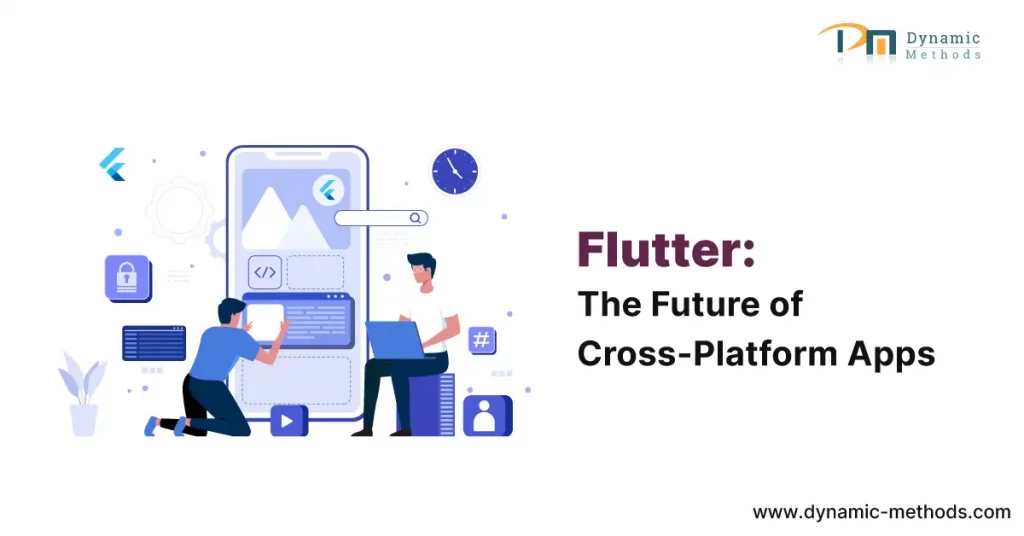
Flutter is the of cross platform app development

Why Flutter is the Future of Cross-Platform App Development: A Comprehensive Guide

Flutter is the of cross platform app development

In the relentless pace of the digital era, mobile applications have grown from a convenience to a necessity. The burgeoning demand for these applications has seen an inundation of mobile app development frameworks in the industry.

Amidst this overflow, Flutter, a sterling creation of Google, has surfaced as a formidable contender. But what makes Flutter outshine the competition, and why is it touted as the future of cross-platform app development?

Join us as we dissect the reasons.

Why Flutter is the Future of Cross-Platform App Development

The Cornerstone of Future Cross-Platform App Development As an ingenious offering from Google, Flutter is a free, open-source framework that grants developers the capacity to devise native-like interfaces for both iOS and Android platforms.

However, Flutter isn’t simply another entrant in the tech arena. Its distinct traits and abilities set it aside, marking it as a transformative entity in the world of app development.

1. The Might of a Unified Codebase

One of Flutter’s standout attributes is its ability to utilize a single codebase to generate applications for diverse platforms. This functionality dispenses with the need for platform-specific code, culminating in expedited development cycles and substantial cost reduction.

2. Unmatched Performance

Flutter stands out from many cross-platform frameworks as it does not depend on a JavaScript bridge to interact with native components. This distinguishing feature propels Flutter ahead, offering performance that can rival that of native applications.

3. An Extensive Selection of Customizable Widgets

Flutter is endowed with an extensive collection of customizable widgets, empowering developers to construct intricate and visually enticing interfaces. These widgets morph according to the specific design languages of different platforms, presenting an authentic native user experience.

4. Diving Deeper into Flutter's Suite of Features

While the benefits highlighted above are compelling, it’s critical to delve deeper into the core characteristics that bolster Flutter and understand why it’s acclaimed as the future of cross-platform app development.

5. Hot Reload: The Secret Weapon of Developers

Among the most lauded features of Flutter is the hot reload. It allows developers to see the impact of their modifications almost immediately, without discarding the current application state.

This function not only accelerates the development process but also streamlines debugging, significantly boosting productivity.

6. The Power of Dart

Flutter leverages Dart as its programming language. Dart is admired for its simplicity and functionality, merging the best traits of JavaScript and Java to create a potent tool for developers.

7. Flutter's Reach Beyond Mobile: Web and Desktop

Flutter’s utility is not confined to mobile applications. Recent upgrades have widened Flutter’s range to include web and desktop applications, fortifying its position as the future of cross-platform app development.

Why Developers are Migrating to Flutter

What makes Flutter so attractive to developers? What’s compelling an increasing number of coders to familiarize themselves with this framework?

1. Streamlining the Development Process

Flutter enables developers to write code once and deploy it across various platforms. When coupled with features like hot reload, the development process is considerably streamlined, leading to a significant reduction in time and effort.

2. An Active and Growing Community

Flutter prides itself on a dynamic and continually expanding community. This robust ecosystem provides developers with plentiful resources and helps resolve common hurdles.

3. The Google Advantage

The Google Edge Flutter’s affiliation with Google assures regular updates and technological advancements. Google’s investment in Flutter’s success guarantees its longevity and growth, making it a dependable choice for developers.

Flutter in Action: Real-World Success Stories

Flutter’s capabilities extend beyond mere promises; they deliver tangible results. Let’s glance at a few case studies that demonstrate Flutter’s practical applications.

Alibaba's Xianyu

One of the world’s largest e-commerce conglomerates, Alibaba, utilized Flutter to engineer its Xianyu app. The result? A high-performing application catering seamlessly to over 50 million users.

Google Ads

Google leveraged Flutter to develop its Google Ads application, testifying to its confidence in the framework’s abilities. With stellar performance and a user-friendly interface, the Google Ads app stands as a shining testament to Flutter’s potential.

Reflectly

Reflectly, a premier lifestyle app, underwent a transformation using Flutter. The result was a stunning, intuitive, and nimble app that garnered immense user admiration.

Conclusion

From its phenomenal performance and versatility to the robust backing of Google, there’s a multitude of reasons why Flutter is perceived as the future of cross-platform app development.

As the advantages of Flutter become more universally recognized, its standing in the app development industry is set to soar even further.

If you’re captivated by Flutter’s potentials and considering it for your next project, don’t hesitate to explore the possibilities.

Whether you’re aiming for a high-performance mobile application or planning to extend your digital presence to the web and desktop platforms, Flutter could be the tool that propels your ideas into reality.

Intrigued to learn more about how Flutter can drive your project’s success? Feel free to reach out to us. Our team of experienced professionals is here to guide you through the process and answer any queries you might have.

Whether you’re still in the ideation phase or ready to kick start your project, we’re excited to collaborate with you. Submit your inquiry now and let’s turn your vision into a reality.

Flutter FAQs

1. What is the primary purpose of Flutter?

Flutter is a UI toolkit designed to facilitate the development of natively compiled applications for mobile, web, and desktop platforms from a single codebase.

2. How does Flutter stack up against React Native?

Although both frameworks have their advantages, Flutter outshines React Native in terms of performance, a wider array of widgets, and a simpler development process.

3. Is it straightforward to learn Flutter?

If you are acquainted with object-oriented concepts and have a basic understanding of programming, you will find Flutter and its programming language, Dart, relatively easy to master.

4. What is the typical duration to develop an app with Flutter?

While the development timeframe can fluctuate depending on the complexity of the app, Flutter’s single codebase and hot reload features generally mean quicker development compared to other frameworks.

5. Is Flutter suited for enterprise-level applications?

Absolutely! Flutter’s stellar performance and flexibility make it an excellent choice for large-scale, enterprise-level applications.

6. Is Flutter free to use?

Indeed, Flutter is a free and open-source framework.

Why Flutter is the Future of Cross-Platform App Development: A Comprehensive Guide Read More »

From Idea to Launch: A Comprehensive Guide to Successful Software Product Development

The journey from idea to launch in the world of software product development can seem daunting, especially if you’re new to the industry. However, it’s important to remember that every groundbreaking software we use today, whether it’s a social media platform or an advanced artificial intelligence system, began as a simple idea in someone’s mind.

In this comprehensive guide, we will demystify the process and break it down into manageable steps, helping you transform your brilliant idea into a successful software product that can make a significant impact.

1. Ideation: The Genesis of Great Software

What Makes a Good Idea?

Not every idea becomes the next Google or Facebook. In the software world, a good idea should be innovative, have a potential market, and solve a problem or fulfill a need. Brainstorming and conducting thorough market research can help refine your initial concept into a well-defined idea that has the potential to succeed.

Research: Validate and Refine Your Idea

Once you have an idea, it’s crucial to validate it. Will it sell? Is there a market for it? These questions are pivotal at this stage. Start by conducting market research to explore your competitors, identify your target audience, and gather insights from industry trends. This validation process will ensure that your idea has a solid foundation before moving forward.

2. Planning: Blueprint of Your Software Product

Requirements Gathering

In the planning stage, you will identify what your software product needs to do in order to provide value to its users. Consider using techniques like user stories or use cases to visualize the end-user experience and outline the necessary functionalities.

Technical Feasibility Study

Can your idea be transformed into a reality with the current technology available? Conducting a feasibility study will help answer this question. Evaluate the technical aspects and economic viability of your software product to ensure it aligns with your vision and goals.

3. Design: Crafting the User Experience

Wireframes and Prototypes

A picture is worth a thousand words, especially in software design. Utilize wireframes to create a basic visual guide of the product layout. As you progress, develop prototypes that simulate user interactions, bringing your idea closer to reality and allowing you to gather valuable feedback.

User Interface and User Experience (UI/UX) Design

The success of a software product hinges on its user experience. Focus on creating an attractive and intuitive user interface (UI) that aligns with your target audience’s preferences. Additionally, ensure a smooth user experience (UX) to enhance engagement and retention rates.

4. Development: Turning Concepts into Code

Choosing the Right Technology Stack

Selecting the appropriate technology stack is crucial for the success of your software product. Consider the nature of your project, scalability requirements, and the expertise of your team when making this decision. Choose technologies that will empower your product to thrive.

Adopting an Agile Approach

In the fast-paced world of software development, flexibility is key. Embrace agile methodologies that allow for iterative development, continuous improvement, and quick adaptation to changes. Agile practices will enable you to deliver high-quality software in a dynamic environment.

5. Testing: Ensuring Quality and Reliability

Quality Assurance (QA) and Testing

Bugs and glitches can severely impact the reputation of your software product. Implement rigorous quality assurance processes and perform various testing methods such as unit, integration, system, and user acceptance tests. This ensures a smooth user experience and minimizes the chances of issues arising.

Security Testing

In the digital age, data breaches can be disastrous. Prioritize security testing to ensure your software product can withstand various threats, safeguarding users’ data and privacy. Make security a top priority throughout the development lifecycle.

6. Deployment: The Big Launch

Pre-Launch Preparations

Before introducing your software product to the market, devise a comprehensive launch strategy. This may involve public relations (PR) activities, strategic marketing campaigns, or even beta launches to a select group of users. Create anticipation and excitement surrounding your product.

Launch and Post-Launch Support

The launch day is just the beginning of your software product’s journey. Establish a system of continuous support, provide frequent updates, and actively engage with user feedback. This ongoing commitment to improvement and responsiveness is vital for achieving long-term success.

Conclusion

The path from idea to launch in software product development is filled with challenges and triumphs. Equipped with this step-by-step guide, a clear vision, and unwavering determination, you possess the tools necessary to transform your brilliant software idea into a market-ready product capable of changing the world, one line of code at a time.

Remember, every great software product starts with an idea. With dedication, perseverance, and the right approach, you can transform your idea into a reality that has the potential to revolutionize the world. So, embrace the journey from idea to launch and embark on this exciting adventure today!

For the requirements of your business, Dynamic Methods is a professional software development company that provides software product development services,  do get in touch with us if you need services.

We hope this comprehensive guide has inspired you to take the first step towards bringing your software product to life.

If you have any questions or would like to share your own experiences, we’d love to hear from you. Leave a comment below, like and share this blog post, and join the conversation. Together, let’s shape the future of software product development!

Frequently Asked Questions (FAQs)

1. How long does software product development take?

The time required to develop a software product can vary greatly depending on factors such as project complexity, available resources, and development methodology. It’s challenging to provide an exact timeframe, as each project is unique.

2. How much does it cost to develop a software product?

The cost of software product development depends on various factors, including the complexity of the software, technologies employed, and the geographical location of the development team. It’s recommended to conduct a thorough analysis and consult with experts to determine a realistic budget.

3. What skills are needed for software product development?

Software product development requires a range of skills, including technical expertise in programming, knowledge of frameworks and databases, project management capabilities, UI/UX design proficiency, quality assurance and testing skills, and a comprehensive understanding of the software development life cycle (SDLC).

4. Is it necessary to have a technical background to launch a software product?

While having a technical background can be advantageous, it is not a prerequisite for launching a successful software product. Many non-technical founders have achieved remarkable success in the industry.

However, it is essential to collaborate with a competent technical team or partner to bring your vision to life.

5. Can software product development be outsourced?

Yes, software product development can be outsourced to external companies or teams. Many organizations opt for this approach due to advantages such as cost savings, access to global talent pools, and the ability to focus on core business activities.

However, careful selection and management of the outsourcing process are crucial for success.

6. What is the importance of market research in software product development?

Market research plays a pivotal role in software product development. It helps validate your product idea, gain insights into the target audience, understand competitors, and reduce the risk of product failure.

By conducting thorough market research, you increase the chances of creating a product that meets market needs and achieves widespread acceptance.

From Idea to Launch: A Comprehensive Guide to Successful Software Product Development Read More »

Building RESTful APIs with PHP Frameworks: A Developer’s Guide

In the increasingly interconnected world of digital technology, the demand for seamless interoperability among diverse software systems has never been higher. This has led to the ascendance of Application Programming Interfaces (APIs) as a key facilitator in ensuring smooth interaction and integration between different applications.

A widely adopted approach in this context is the development of RESTful APIs using PHP frameworks, owing to their inherent flexibility and potential for scalability.

Building RESTful APIs with PHP Frameworks: A Developer's Guide

This detailed guide is designed to furnish developers with invaluable insights, practical strategies, and industry-acknowledged best practices to masterfully construct RESTful APIs utilizing PHP frameworks.

1. Understanding REST Architecture

REST, standing for Representational State Transfer, is an architectural style that provides a set of constraints and principles for the design of scalable and maintainable web services.

RESTful APIs adhere to these principles, thereby making available resources and enabling clients to perform various operations on them. By strictly following REST principles, developers can create APIs that are interoperable, stateless, and more straightforward for consumption.

2. Choosing the Perfect PHP Framework

The decision of choosing the appropriate PHP framework is instrumental in the efficient creation of RESTful APIs. Numerous popular frameworks exist, each boasting unique strengths and advantages:

3. API Architecture Design

Before plunging into the intricacies of implementation, it is vital to design a well-articulated API architecture. This process involves outlining the resources, endpoints, and data structures that the API will expose.

Through meticulous planning of the API’s structure, developers can guarantee clarity, consistency, and user-friendliness for API consumers.

4. Executing CRUD Operations

CRUD operations, standing for Create, Read, Update, Delete, form the primary functionality of most APIs. PHP frameworks deliver handy methods and tools for efficiently managing these operations.

By utilizing the capabilities of the chosen framework, developers can streamline the implementation of CRUD functionality, thereby ensuring data integrity and security.

5. API Authentication and Security

API security is paramount in safeguarding sensitive data and thwarting unauthorized access. PHP frameworks offer a variety of mechanisms for implementing authentication and authorization. Developers have the option to choose from mechanisms such as token-based authentication, OAuth, or JSON Web Tokens (JWT) to guarantee secure access to the API’s resources.

6. Managing Validation and Error Responses

The process of validating user input and providing informative error responses are essential components of API development. PHP frameworks offer validation libraries that simplify the task of validating request data.

Moreover, these frameworks provide mechanisms to handle and format error responses consistently, thereby enabling clients to understand and manage errors gracefully.

7. Implementing Rate Limiting

Rate limiting is a method used to manage the number of requests made to an API within a designated timeframe. By implementing rate limiting, developers can deter misuse, ensure equitable usage, and protect the API from potential performance issues.

PHP frameworks often offer rate limiting functionalities or integration with third-party libraries to ease its implementation.

8. Testing and Documentation

Rigorous testing and comprehensive documentation are vital for constructing high-quality RESTful APIs. PHP frameworks offer testing tools and frameworks that empower developers to write unit tests, integration tests, and functional tests for their APIs.

In addition, the use of tools like Swagger or OpenAPI specifications to generate API documentation can significantly enhance the developer experience and assist API consumers in understanding the available endpoints and their usage.

Conclusion

Mastering the art of building RESTful APIs with PHP frameworks empowers developers to create scalable, maintainable, and secure web services. By choosing the appropriate PHP framework, understanding the REST principles, and adhering to industry best practices, developers can optimize the API development process, thereby delivering superior-quality APIs that cater to the needs of modern applications.

So, make the leap today! Start building potent APIs with PHP frameworks and unveil a universe of possibilities for your software projects. Dynamic Methods is the best software company and we have an expertise team. Feel free to share this guide if you found it helpful, and don’t hesitate to contact us and comment below with your thoughts or questions.

Frequently Asked Questions (FAQs)

1. What are the benefits of using PHP frameworks for creating RESTful APIs?

PHP frameworks provide a structured and efficient approach to API development. They offer built-in features, libraries, and conventions that simplify common tasks such as routing, input validation, and database interactions.

By using PHP frameworks, developers can save time, ensure code consistency, and leverage the vibrant PHP community for support and resources.

2. How can I manage versioning in my RESTful API built with PHP frameworks?

Versioning is crucial for managing changes and backward compatibility in an API. PHP frameworks often offer mechanisms for handling API versioning. One approach is to include the version number in the URL, such as “/api/v1/users” for the first version of the “users” resource. Another option is to use custom request headers or query parameters to specify the desired API version.

3. What are the performance considerations when using PHP frameworks for RESTful APIs?

While PHP frameworks have made significant strides in performance, certain factors can still affect the performance of RESTful APIs built with PHP frameworks.

Practices such as caching frequently accessed data, optimizing database queries, and employing efficient coding can improve the performance of PHP-based APIs.

4. Can I use PHP frameworks to build APIs with other architectural styles, such as GraphQL?

While PHP frameworks are primarily designed for RESTful API development, some frameworks, like Laravel, offer support for building APIs using GraphQL, a query language for APIs.

By utilizing specific packages or extensions, developers can leverage the capabilities of PHP frameworks to build APIs following different architectural styles.

5. How do PHP frameworks manage data serialization and content negotiation?

PHP frameworks generally provide built-in serialization and content negotiation mechanisms. They allow developers to serialize data in various formats, such as JSON or XML, based on client preferences specified in the request headers.

Additionally, frameworks often offer tools to handle content negotiation, enabling API consumers to request and receive data in their preferred format.

6. What are some common security vulnerabilities to be aware of when creating RESTful APIs with PHP frameworks?

Security is paramount when building RESTful APIs. Some common security vulnerabilities to consider include SQL injection, cross-site scripting (XSS), cross-site request forgery (CSRF), and insecure direct object references.

PHP frameworks offer security features and practices to mitigate these vulnerabilities, such as parameter binding, input validation, output encoding, and CSRF protection mechanisms.

Building RESTful APIs with PHP Frameworks: A Developer’s Guide Read More »

Key Considerations for Successful Custom Software Development Projects

Introduction

Custom software development plays a crucial role in helping businesses streamline their operations, enhance efficiency, and meet their unique requirements. However, embarking on a custom software development project can be complex and challenging. In this article, we will provide you with insights and key considerations to ensure the success of your custom software development projects.

Understanding Custom Software Development

Custom software development refers to the process of designing, building, and deploying software solutions tailored specifically to meet the unique needs of a business or organization. Unlike off-the-shelf software, custom software is created from scratch and can be fully customized to align with your specific goals, processes, and workflows.

Identifying Project Goals and Objectives

Before initiating a custom software development project, it is essential to clearly identify your goals and objectives. This involves understanding the problem that the software will solve, defining the desired outcomes, and determining the expected benefits for your business. Having a clear vision of the project’s purpose ensures that all development efforts are aligned towards achieving the intended results.

Gathering Requirements and Defining Scope

Once the goals and objectives are established, the next step is to gather requirements and define the scope of the project. This involves conducting thorough discussions with stakeholders, understanding their needs and expectations, and documenting all the necessary features and functionalities. A comprehensive and well-defined scope ensures that the project stays on track and minimizes the risk of scope creep.

Choosing the Right Development Methodology

Selecting an appropriate development methodology is crucial for the success of a custom software development project. Agile methodologies such as Scrum or Kanban are often preferred as they promote flexibility, collaboration, and iterative development. However, the choice of methodology should align with the project’s size, complexity, and organizational culture.

Selecting a Reliable Development Team

Building a reliable development team is paramount for the success of any custom software development project. It is essential to carefully evaluate the expertise, experience, and track record of potential development partners or in-house team members. Collaborating with skilled professionals who understand your project’s requirements, can effectively communicate, and adapt to changes is vital.

Creating a Detailed Project Plan

A detailed project plan serves as a roadmap for the entire custom software development project. It outlines the tasks, milestones, timelines, and resource allocations necessary to achieve project goals. The plan should consider potential risks, dependencies, and contingencies to ensure efficient project execution and timely delivery.

Managing Communication and Collaboration

Effective communication and collaboration are key to successful custom software development projects. Regular communication channels should be established between the development team, stakeholders, and project managers. Utilizing collaboration tools and conducting frequent progress updates ensure transparency, address concerns promptly, and foster a sense of teamwork.

Implementing Effective Quality Assurance

Quality assurance is crucial to deliver a reliable and high-performing custom software solution. Rigorous testing, code reviews, and quality checks should be incorporated throughout the development process. Automated testing tools can help identify bugs, ensure functionality, and improve overall software quality.

Testing and Deployment

Thorough testing is essential to identify and rectify any issues before deployment. The software should undergo various testing phases, including unit testing, integration testing, and user acceptance testing. Once all tests are successfully passed, the software can be deployed to the production environment.

Monitoring and Maintenance

After deployment, monitoring and maintenance activities are vital to ensure the ongoing performance and reliability of the software. Regular monitoring helps identify potential issues, track usage patterns, and optimize system performance. Prompt bug fixes, security patches, and feature enhancements contribute to a seamless user experience and long-term success.

Ensuring Scalability and Future Growth

Custom software should be designed with scalability in mind. As businesses evolve and grow, the software should accommodate increasing demands and handle larger data volumes. Scalability ensures that the software can adapt and support your organization’s future goals without significant rework or system limitations.

Addressing Security Concerns

Security is a critical consideration in custom software development projects. The software should be built with robust security measures to protect sensitive data, prevent unauthorized access, and comply with relevant regulations. Regular security audits and updates should be conducted to address emerging threats and vulnerabilities.

Evaluating Success and Continuous Improvement

Measuring the success of a custom software development project is essential to determine its impact on the business. Key performance indicators (KPIs) should be established to assess the software’s effectiveness, user satisfaction, and return on investment. Based on these insights, continuous improvement initiatives can be implemented to refine and enhance the software’s functionality.

Conclusion

Successful custom software development projects require careful planning, effective communication, and skilled teams. By considering the outlined key considerations, businesses can increase the chances of achieving their desired outcomes. Custom software offers immense potential for organizations to optimize processes, gain a competitive edge, and drive growth.

Ready to embark on your custom software development project? Contact us now to discuss your unique business requirements and unlock the potential for streamlined operations, enhanced efficiency, and a competitive advantage. Our experienced team of software development professionals is ready to guide you through every step of the process. Submit your inquiry today and let’s bring your vision to life!

FAQs

1. Why is custom software development important for businesses?

Custom software development is crucial for businesses because it allows them to create tailored solutions that address their specific needs and challenges. Off-the-shelf software may not fully align with a company’s unique processes or requirements, limiting its efficiency and effectiveness. Custom software, on the other hand, offers the flexibility to design and build a solution that precisely caters to the organization’s workflows, goals, and objectives. This level of customization can lead to improved productivity, streamlined operations, enhanced customer experiences, and a competitive advantage in the market.

2. How can I determine the scope of my custom software development project?

Determining the scope of a custom software development project requires a comprehensive understanding of the organization’s needs and goals. Start by conducting thorough discussions with stakeholders and end-users to identify their pain points, requirements, and desired outcomes. Document all the necessary features, functionalities, and integration points that the software should encompass. Consider the complexity of the project, budget, and timeline constraints while defining the scope. Collaborating with experienced software development professionals can also help in accurately assessing the scope and identifying potential areas of expansion or optimization.

3. What are some popular development methodologies for custom software projects?

Agile methodologies such as Scrum and Kanban are widely used and popular for custom software development projects. Agile methodologies emphasize flexibility, collaboration, and iterative development. They involve breaking down the project into manageable increments called sprints, where each sprint delivers a functional piece of the software. This approach enables continuous feedback, adaptation to changing requirements, and early delivery of value. However, other methodologies like Waterfall, Lean, or Hybrid models may be more suitable depending on the project’s specific requirements, size, complexity, and organizational culture.

4. What qualities should I look for in a reliable development team?

When selecting a development team for your custom software project, several qualities are worth considering. Look for a team with strong technical expertise in the required technologies and frameworks. Experience in similar projects or industries can be valuable as well. Effective communication and collaboration skills are essential to ensure seamless interaction between the development team and stakeholders. Flexibility, adaptability, and the ability to understand and align with your business objectives are also crucial. Additionally, consider the team’s track record, client testimonials, and the quality of their previous work to assess their reliability and competence.

5. Why is quality assurance crucial in custom software development?

Quality assurance (QA) plays a vital role in custom software development to ensure that the final product meets the required standards and specifications. QA activities include rigorous testing, code reviews, and quality checks at various stages of the development process. By conducting comprehensive testing, potential issues, bugs, or performance bottlenecks can be identified and addressed early on. QA helps in delivering a reliable and robust software solution that functions as intended, provides a seamless user experience, and minimizes the risk of software failures or security vulnerabilities.

Key Considerations for Successful Custom Software Development Projects Read More »