

Author name: Vikash Parihar

Vikash Parihar is Dynamic Methods' Business Development Manager, leveraging 10 years of industry experience. His forward-thinking strategies and effective networking contribute significantly to our business growth and expansion.

vikash parihar
ERP integration with custom software for improved business operations

Extending Your ERP With Custom Software and ERP Integration

ERP integration with custom software for improved business operations
Extend your ERP capabilities with custom software and seamless ERP integration solutions.

Most businesses do not set out to outgrow their ERP. It just happens. One year the ERP handles everything fine. Two years later, three departments have built their own spreadsheets on the side because the system cannot keep up. Sales need better numbers. The warehouse needs stock counts that are actually true. Finance wants reports that match how the business really runs, not how it ran five years ago. Custom software and ERP integration services solve this problem without a full rebuild. They stretch the ERP you already have so it fits the business you have now, not the one you started with.

Why Does Your ERP Need to Grow With Your Business?

Most ERP systems do a solid job on day one. They cover the basics: orders, stock, invoices, and payroll. Fine for a company with one product line and a handful of staff.

Then the business changes. New products arrive. New markets open up. New teams join. Each one adds a small gap between what the ERP does and what the business actually needs. On its own, one gap seems small. String ten together and staff lose half their week to workarounds instead of the software itself.

That is usually the moment a business starts to look at extension work rather than a full replacement. Nobody wants to sit through a year-long rebuild just to fix three annoying gaps.

How Do Businesses Add New Features to Their ERP?

Custom ERP software development builds tools around your actual rules, not a generic template someone wrote for a different industry. A haulage firm might need a live delivery tracker built straight into the ERP screen. A retailer might need a returns module that follows their exact refund policy, not a default one.

Nobody has to learn a second system. That is the whole point. A developer sits with the team first, watches how they work, then builds the tool that closes the gap so it fits inside the ERP they already use every day.

How Do Businesses Connect Their ERP to Other Systems?

ERP system integration is the bit that links your ERP to the other software the business already runs, things like accounting tools, an online shop, or a support desk. Once connected, figures move between them on their own. Nobody retypes a number from one screen into another.

Firms often bring in specialist ERP integration services for this stage, because a safe link between two systems needs careful groundwork. Someone has to map which field goes where and test the connection before it goes live. Get it right, and every team looks at the same numbers, which sounds small until you remember how many arguments start because two reports disagree.

What Role Do APIs Play in Modern ERP Setups?

An API is just a set of rules that lets two pieces of software swap data without a person who copies it by hand. ERP API integration uses this to connect the ERP to outside platforms through one steady structure, rather than a new manual export every time a new tool joins the mix.

The payoff is speed. Stock counts, orders, and customer records stay current everywhere at once. You will not find out on Tuesday that a product sold out on Friday.

How Can Tailored Tools Close ERP Gaps?

Off-the-shelf ERP software covers the common cases well. It rarely covers the odd one, the rule that only applies to your business. Custom software for ERP fills that specific gap: a quote calculator built for how a manufacturer actually prices a job, or an appointment system built around how one clinic actually runs its diary.

These additions live inside the ERP rather than next to it. Staff open one system, not three. The software reads like it was built for the business, because it was.

How Does Adjusting ERP Screens Change Daily Work?

ERP customization changes the screens, fields, and permissions so the system matches how each team actually works, rather than how the software vendor assumed they would work. Finance might need an extra approval step before a big invoice goes out. Sales might just want fewer boxes to fill in so an order takes thirty seconds, not five minutes.

None of this touches the core of the ERP. It reshapes the bits people use most, which cuts clicks and cuts mistakes at the same time.

How Does Automation Cut Down Manual Tasks?

Workflow automation takes the repetitive steps out of the day-to-day grind. Instead of a person who checks stock levels every morning, the ERP watches them and flags a problem the moment it appears. Instead of someone who raises an invoice by hand, it goes out the second a job closes.

A few examples of what this looks like in practice:

  • Purchase orders route themselves to the right approver
  • Low stock sets off an alert with no one stuck at a screen
  • Invoices get created the moment a job finishes
  • Reports land in an inbox on schedule, and nobody has to chase them

None of this is complicated once it is set up. The value is in the hours it gives back. Staff spend that time on decisions that actually need a human, not on entering a computer, which can do faster and without a mistake.

What Value Do Larger Business Applications Add?

Enterprise application development covers bigger tools that sit across the whole business rather than one ERP screen. Think of a single portal that pulls sales, warehouse, and finance data into one view, so nobody has to open four systems just to answer one question.

These tools support the kind of decisions that matter at the board level. A manager can see the full picture in one place, rather than piece together separate reports the night before a meeting.

What Should a Business Check Before Starting an ERP Project?

Before any of this starts, write down what actually hurts. Slow reporting. Data entered twice. Two systems that refuse to talk to each other. A clear list beats a vague brief every time, and it gives a developer something real to solve rather than a guess.

Data quality matters just as much. Integration work depends on clean, consistent records, so a quick tidy-up before the project begins tends to save weeks later. Messy data at the start almost always means a longer project and more surprises along the way. Duplicate customer records, old price lists, and half-filled fields cause far more delay than most people expect, and they cost far less to fix now than they do once the new setup is live.

How Do Businesses Measure the Success of ERP Changes?

Success looks different from one business to the next, but a few signs tend to repeat. Less time on manual entry. Fewer reporting errors. Faster access to figures that people can actually trust.

A short review a few weeks after launch catches anything that still needs a tweak. Small fixes at this stage often add as much value as the original build, because that is when the real gaps show up, not during testing.

Why Do Businesses Prefer to Extend Rather Than Replace Their ERP?

A full ERP replacement eats months of planning, staff retraining, and budget most businesses would rather spend somewhere else. Extension avoids most of that pain. The core system stays put. So does the data inside it.

Staff keep working with software they already understand, so there is no steep learning curve on day one of a brand new platform. That single fact makes extension the more sensible route for most businesses, and it protects years of historical data that finance and planning teams rely on every quarter.

How Do Businesses Choose the Right Integration Partner?

Start with experience on your specific ERP platform, not just software skills in general. Ask what they have actually finished, not just what they can technically do. A partner for ERP integration services should also communicate clearly and finish work without the project dragging on for months past the deadline.

Firms such as Dynamic Methods work across both custom software and ERP integration, which gives a useful reference point for how development and integration sit together in practice, rather than as two separate contracts with two separate teams. Alongside that integration work, most projects also draw on ERP integration, custom software development, and API integration as the core services that hold the whole setup together.

How Do Development and Integration Work Together?

Custom ERP software development and ERP system integration work best as a pair, not as two separate projects run by two separate suppliers. Custom features fix specific problems inside the ERP. Integration connects the ERP to everything else the business depends on outside it.

ERP API integration, custom software for ERP, and ERP customization each play their own part in this picture, and workflow automation ties the whole thing together so information moves on its own rather than through a person who pushes it from one screen to the next by hand. Add enterprise application development to the mix, and a basic ERP will turn into a system genuinely built around the business, not the other way round.

Conclusion

A full ERP rebuild is rarely the answer. Custom development, sensible integration, and honest ERP integration services let a business keep the ERP it already knows while it gains the tools, connections, and automation that match how it actually works today. Businesses that go this route, including those who look at examples like Dynamic Methods to see how development and integration sit together, tend to end up with a system that grows alongside them rather than one that holds them back a year later. The right combination of custom work and integration keeps an ERP useful for years, not just until the next budget review. Get the basics right early, keep the data clean, and the ERP stops being a source of frustration and starts to feel like a proper tool again.

Frequently Asked Questions

1. Do I need to replace my ERP to add new features?
No. Most businesses bolt custom modules or integrations onto the ERP they already have rather than starting again from nothing.

2. How long does an ERP integration project usually take?
It depends on how many systems are involved, though most projects run somewhere between a few weeks and a few months.

3. Can small businesses benefit from custom development work on their ERP?
Yes. Even a small team gains from tools built around their exact process rather than a generic feature nobody quite uses.

4. What sets an ERP adjustment apart from an ERP connection?
An adjustment changes how the ERP itself looks and behaves. A connection links the ERP to other software the business already relies on.

5. Will automated workflows work with my existing ERP setup?
Most modern ERP platforms support automation rules already, so this usually slots into the current setup without a major overhaul.

Extending Your ERP With Custom Software and ERP Integration Read More »
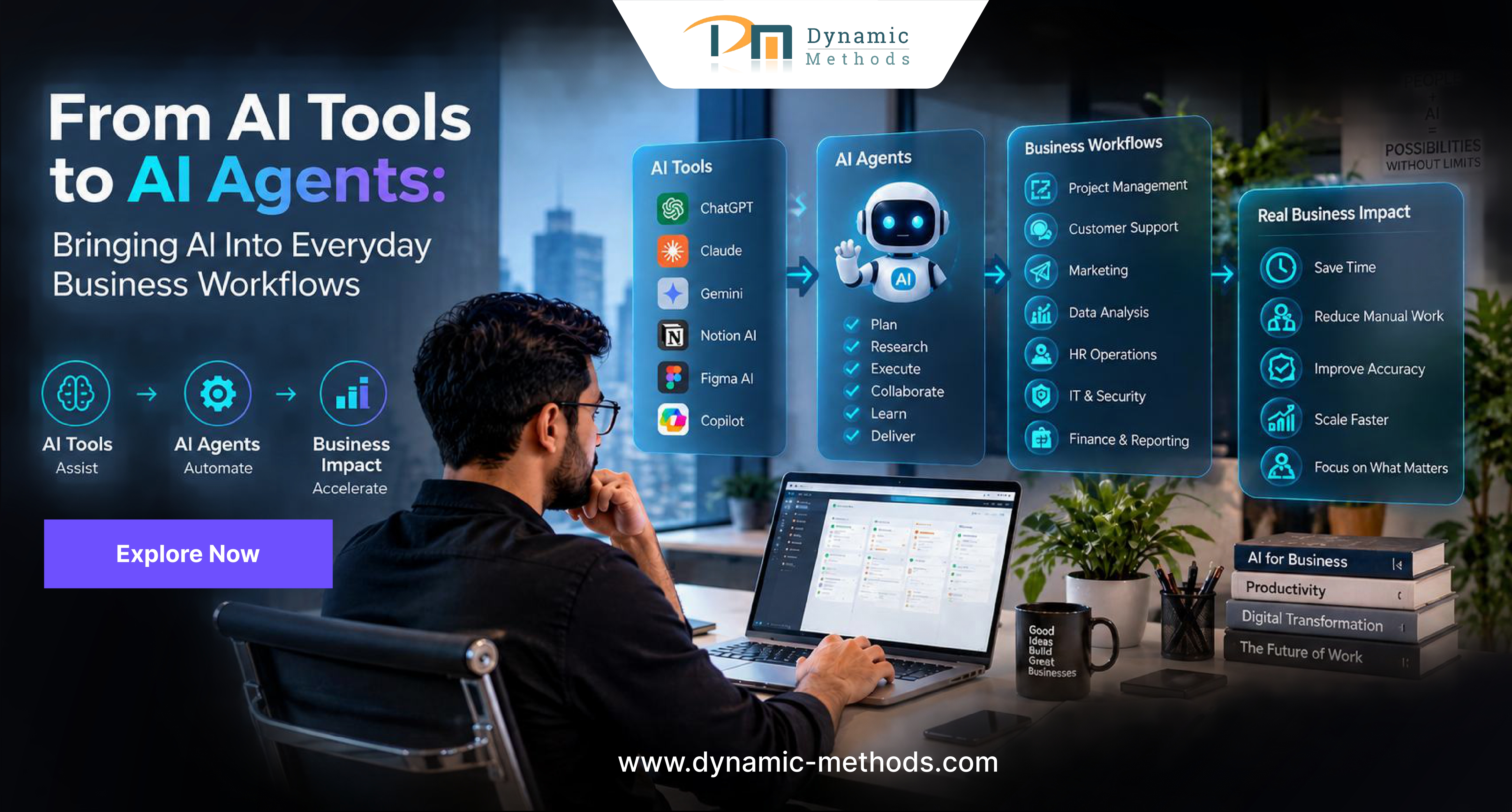
AI tools and AI agents transforming everyday business workflows, showing automation, business applications, and real business impact.

From AI Tools to AI Agents: Bringing AI Into Everyday Business Workflows

AI tools and AI agents transforming everyday business workflows, showing automation, business applications, and real business impact.

Most businesses got their first taste of AI through simple tools. A chatbot that answers basic questions. A writing assistant that drafts an email. These tools do one job, then stop and wait for the next command. That model has limits. AI agent development takes things further. It gives software a goal, lets it plan the steps needed, and lets it act across a full task without a person guiding each move. For a business tired of babysitting every small step, this changes how work actually gets done, from replying to customers to pulling together weekly reports.

What Is the Real Difference Between AI Tools and AI Agents?

A tool does one thing and hands the result back to a person. Someone checks it, decides what comes next, then types a fresh instruction. Fine for a small job. Painful once the volume grows.

An agent works differently. It holds a goal in mind. It breaks that goal into steps. It pulls data from other systems when it needs to, and it adjusts course when something changes along the way. That is the appeal behind AI agents for business: one piece of software can carry a task from start to finish, and a person only steps in to check the outcome or fix a mistake.

Why Are Companies Moving Toward AI Agent Development?

Manual work costs money. Every hour a staff member spends copying data between two systems is an hour they do not spend talking to a customer or solving a real problem. Businesses want that time back, and they want whole processes handled, not just single tasks. That demand explains why AI agent development has picked up pace across retail, healthcare, finance and plenty of other sectors.

Companies that hire out AI agent development services gain something a basic tool cannot give them. They get software that keeps context across a task, links to internal systems on its own, and finishes multi step work without someone standing over it. Fewer bottlenecks. Faster turnaround. Less admin drag on the people who actually run the business.

Where Do AI Agents Fit Into Everyday Workflows?

Agents work best on jobs that involve several steps and a few decisions along the way. A handful of real examples:

  • Customer support: an agent reads a query, checks the order history, issues a refund or passes the case to a person, all without someone typing every reply
  • Finance teams: an agent matches invoices, flags anything that does not add up and puts together a report ready for review
  • HR departments: an agent screens applications, books interview slots and sends the follow-up notes
  • Sales teams: an agent updates records, ranks leads by priority and drafts an outreach message based on recent account activity

Each of these shows AI workflow automation at work. Instead of a person switching between five apps to finish one task, a single agent runs the whole sequence and only raises a hand when something looks off. This is also where intelligent workflow automation earns its name. The agent does not just follow a fixed script. It reacts to whatever data lands in front of it.

How Does AI Workflow Automation Improve Team Efficiency?

Staff lose real hours each week to admin that adds no strategic value at all. Once AI workflow automation takes that load, the team gets that time back for the parts of the job that actually need a human brain: client relationships, planning, and problem-solving.

Speed is not the only win here. Intelligent workflow automation also cuts down on the small errors that creep in when a person juggles several manual steps under time pressure. Firms that bring in AI automation services for their back office work often notice cleaner records, quicker approvals and far fewer arguments with clients or suppliers over mistakes that should never have happened.

What Should Businesses Look for in AI Integration Services?

Dropping an agent into a business is not as simple as flipping a switch. It has to connect with the systems already in place, respect the data rules a company follows and fit how the team actually works day to day. Solid AI integration services cover a few things without fail:

  • A proper look at current systems before anything goes live
  • Secure links to the CRM, the accounting software and the tools staff already use to talk to each other
  • Testing under real conditions, not just a tidy demo built to impress
  • A backup plan in case an agent needs changes once it is live

Skip this groundwork, and a business ends up with an agent that cannot talk to the rest of the company properly. That is exactly why enterprise AI need proper planning from day one rather than a rushed launch chasing a trend.

How Do Enterprise AI Solutions Support Long-Term Growth?

A small pilot has its place, but the real payoff shows up once enterprise AI solutions run across more than one department. One agent handling support tickets helps. Ten agents working together across support, billing and logistics change how the whole business runs.

This is the point where AI agents for business stop being an experiment and start acting as proper infrastructure. As agents settle into a company, AI agent development turns into an ongoing job rather than a project with an end date, with teams tweaking agent behaviour as processes shift and customer needs change.

What Does Practical AI Agent Development Look Like for a Business?

A sensible rollout rarely starts with a company-wide overhaul. It starts with one process that causes real pain: slow invoice approvals, say, or the same customer question landing in the inbox fifty times a week. A business tests an agent on that one problem, checks the results, then expands once the case proves itself.

Companies without the skills in-house often turn to a specialist partner for AI agent development services, since building this capability from scratch eats up time most teams simply do not have. Agencies that offer AI automation services alongside broader software work, Dynamic Methods among them, tend to handle this well because they already know how to connect new technology to the systems a business already runs. The same goes for AI integration services. A brilliant agent tied badly to the rest of the business still causes friction rather than removing it, so this part of the job matters just as much as the agent itself.

Conclusion

The shift from single-purpose tools to proper agents is a real change in how businesses run day-to-day, not just another buzzword on a slide. Companies that treat AI agent development as an ongoing project, rather than a quick experiment to try once and forget, tend to see the clearest gains: faster work, fewer mistakes, and staff time freed up for jobs that actually need a person. Firms such as Dynamic Methods, already working across software development and digital projects, offer a useful example of how this shift plays out in practice, tying new agent capability to the systems a business already depends on.

FAQs

1. What is the simplest way to explain an AI agent to someone new to the topic?

Picture a tool as a single button and an agent as a small assistant who presses several buttons in the right order to get a job finished.

2. Do small businesses actually need AI agents, or is this only for large enterprises?

Small businesses gain too, especially for repeat tasks like booking confirmations or chasing overdue invoices, where even one agent frees up hours a week.

3. How long does it take to get an AI agent working inside a business?

A focused pilot on one process can go live within a few weeks. A wider rollout across several departments usually takes a few months.

4. Is it risky to let an AI agent make decisions without a person checking every step?

Most businesses start with a person approving key actions, then hand over more independence once the results stay consistent and trust builds.

5. What is the first step a business should take before it adopts AI agents?

Find one process that keeps causing delays or mistakes. That gives a clear, low-risk starting point for the first agent trial.

From AI Tools to AI Agents: Bringing AI Into Everyday Business Workflows Read More »

Purpose-driven technology with AI, cloud, security, automation, and development for business growth

Purpose-Driven Technology: Making Better Technology Decisions for Business Growth

Purpose-driven technology with AI, cloud, security, automation, and development for business growth
Purpose-Driven Technology: Making Better Technology Decisions for Business Growth

Every business today invests in technology, but not every business gets meaningful results from it. Many companies buy tools, adopt platforms, and follow trends without asking a simple question: does this technology actually serve our goals? This is where purpose-driven technology becomes important. It is an approach that puts business goals first and treats technology as a tool to reach them, rather than a trend to chase. When companies adopt this mindset, they make sharper decisions, spend budgets wisely, and build systems that support real growth instead of short-lived hype.

What Does It Mean to Put Purpose Before Technology?

Purpose-driven technology means every tool, platform, or system a business adopts must connect back to a clear outcome, whether that is faster service, lower costs, or a better customer experience. It moves the conversation away from what is new and towards what works for the business.

Companies that skip this step often end up with a pile of software that solves small problems but creates new ones, such as poor integration or wasted licence fees. A clear purpose behind each decision keeps teams focused and keeps spending under control. It also gives everyone in the business a shared reason for adopting a tool, rather than a decision made by one department in isolation, which matters a great deal once a company grows past a handful of staff.

Building a Strategy That Actually Fits the Business

A solid business technology strategy starts with a review of current processes and honest questions about where technology can genuinely help a team work better. It should map out priorities across the next one to three years, not just the current quarter.

Leaders who treat their approach as a living document, one that gets revisited and adjusted, tend to avoid the trap of investing in tools that no longer fit the business a year later. A business technology strategy built this way stays useful long after the first rollout.

How to Make Digital Transformation Work From Day One

A digital transformation strategy without a defined purpose often turns into a scattered set of projects that never quite finish. Teams need to know what success looks like before they begin, whether that is a faster order process or a simpler way for customers to reach support.

A proper digital transformation service can help a business set realistic milestones, rather than trying to change everything at once and losing momentum halfway through. A digital transformation strategy built around clear milestones tends to survive contact with reality far better than one drawn up in a single meeting. It also gives staff a clearer picture of what changes to expect and when, which reduces the resistance that often slows these projects down.

Why Off-the-Shelf Software Often Falls Short

Off-the-shelf tools rarely fit every business perfectly, which is why many companies turn to custom software solutions built around their exact workflow. This approach removes the workarounds that teams often create to cope with rigid, generic systems.

Custom builds tend to bring several advantages that businesses notice quickly:

  • Systems that match existing workflows instead of forcing new habits
  • Fewer licence fees for features that never get used
  • Easier integration with tools already in place
  • Room to grow the platform as the business grows

Businesses that invest in custom software solutions early often avoid the costly rebuild that comes from outgrowing a generic package within a couple of years.

Matching the Right Platform to the Right Business

Not every business needs the same setup, so technology solutions for businesses must reflect the size, industry, and pace of that specific company. A ten-person firm and a two-hundred-person firm rarely need the same platform.

The right choice usually balances cost, ease of use, and room to expand later. A rushed decision made purely on price often costs more within a year or two, once gaps in the system start to show, which is exactly why technology solutions for businesses deserve proper research before purchase. A short trial period or a conversation with an existing customer of the platform often reveals far more than a sales pitch ever will.

Signs a Technology Approach Is Actually Working

A workable technology strategy puts people and outcomes ahead of features. It sets out what problems need solving, who owns each decision, and how progress gets measured over time.

It also leaves room for change. Markets shift, customer habits shift, and a good technology strategy allows a business to adjust course without starting from scratch each time something new appears. Regular reviews, perhaps once or twice a year, keep the strategy honest and stop old assumptions from lingering long after they stop being true.

Why Some Businesses Choose to Build Their Own Systems

Custom software development gives a business full control over how a system behaves, instead of the limits a ready-made product forces on a team. This matters most for companies with processes that do not fit a standard mould, and it often pairs well with a dedicated product engineering service for the parts that need greater technical skill.

A few reasons businesses lean towards custom builds include:

  • Direct ownership of the code and data
  • Freedom to add features as needs change
  • Stronger security control across the whole platform
  • Long-term cost savings once the system matures

Many firms treat custom software development as an investment rather than a cost, since a well-built system keeps paying off years after launch.

How to Make Purpose Part of Every Decision

A business that puts purpose-driven technology into practice checks every proposal against a simple test: does this move the business closer to its goals? Teams that ask this question before they approve a new tool avoid a great deal of wasted spend.

Firms such as Dynamic Methods work with businesses on exactly this kind of decision-making and help teams weigh their options so the final choice fits the goal rather than the trend of the moment.

How Better Software Supports Better Decisions

Good business software solutions give leaders visibility into what is actually happening across the business, from sales figures to support tickets. Without that visibility, decisions rely on guesswork rather than evidence.

The strongest business software solutions connect data across departments, so a decision made in one part of the business reflects what is happening everywhere else, not just a single team’s view. Over time, this kind of visibility becomes one of the clearest markers of a mature, well-run operation, and it tends to shorten the time it takes for leaders to spot a problem before it grows larger.

Growing a business without growing technology debt with scalable solutions, cloud, security, automation, and business growth technology

Growing a Business Without Growing Technology Debt

Every quick fix a business adds to its systems has a cost that shows up later, whether that is a clunky workaround, a license nobody remembers buying, or a tool that no longer talks to the rest of the stack. Left unchecked, this pile of small compromises becomes technology debt, and it slows a business down exactly when speed matters most.

A purpose-led approach keeps this debt from building up in the first place. Each new system gets checked against the goal it needs to serve, so teams add fewer tools overall and retire the ones that no longer earn their place. Over a few years, this discipline tends to save far more money than any single discount on a new platform ever could.

Conclusion

Better technology decisions rarely come from chasing the newest tool on the market. They come from a clear sense of purpose, a strategy that fits the business, and software built around real needs rather than assumptions. Purpose-driven technology gives businesses a simple filter for every decision, helping them grow without the waste that comes from adopting tools for the sake of it. A business that works with the right partner, such as Dynamic Methods, can turn that filter into a repeatable process, one that keeps technology spending focused on outcomes that genuinely matter for the business.

Frequently Asked Questions

1. What does purpose-driven technology actually mean for a small business?
It means a business chooses tools based on what it needs to achieve, not on what looks impressive or trendy.

2. How do I know if my current approach to technology is working?
Check whether each system still solves a real problem and whether teams use it without constant workarounds.

3. Is a custom build always better than an off-the-shelf tool?
Not always, but it helps when a business has workflows that standard platforms cannot support well.

5. How long does a typical digital transformation usually take?
It varies by business, though most meaningful changes take several months rather than weeks.

6. Can a small business afford to build its own software?
Yes, many providers offer phased builds, so a business can start small and expand the system over time.

Purpose-Driven Technology: Making Better Technology Decisions for Business Growth Read More »

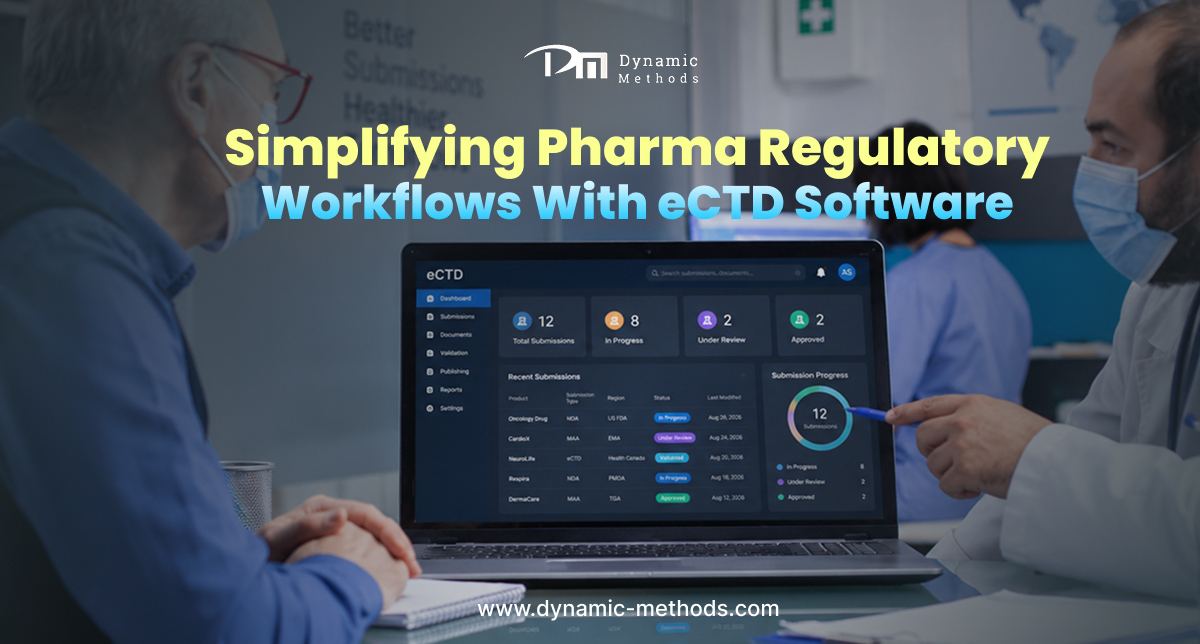
eCTD software simplifying pharma regulatory workflows and submission management

Simplifying Pharma Regulatory Workflows With eCTD Software

eCTD software simplifying pharma regulatory workflows and submission management
Simplify pharma regulatory workflows and manage eCTD submissions efficiently with modern regulatory software.

Pharmaceutical companies deal with mountains of paperwork before a single drug reaches the market. Every submission, amendment and renewal must follow strict formats set by regulators such as the FDA and EMA. This is where eCTD software development plays a central role, as it gives pharma teams a structured way to prepare, organise and submit regulatory documents without the chaos of manual tracking. As global markets grow more complex, the need for reliable digital tools to manage these submissions has never been greater, and companies that delay this shift often pay for it later through rejected filings and slower approvals.

What Is eCTD Software, and Why Does It Matter?

The Electronic Common Technical Document, known as eCTD, is the standard format that regulators across the world now expect for drug submissions. eCTD software helps companies build these submissions in the correct structure, validate them against agency rules and track every version as it changes over time. Without such a system, teams often rely on spreadsheets and shared folders, which raises the risk of missing deadlines or submitting incomplete files.

A good system also keeps a full audit trail. Regulators can see who made each change and when, which builds trust during inspections and reviews. This level of visibility is hard to achieve through manual methods alone, and it often becomes the deciding factor between a smooth approval and months of back-and-forth with an agency.

Common Regulatory Challenges Pharma Companies Face

Before a proper system is in place, most pharma companies struggle with the same set of problems. A dedicated regulatory document management software solution addresses each of these directly.

  • Scattered documents across emails, drives and desktops
  • Version confusion when multiple teams edit the same file
  • Missed submission windows due to unclear timelines
  • Difficulty tracking regulator queries and responses
  • Limited visibility into approval status across regions

These issues do not just slow down a launch. They can lead to rejected applications, fines or delays that cost millions in lost revenue, and they place unnecessary strain on regulatory affairs staff who already juggle tight deadlines.

How eCTD Software Simplifies Submissions

Once a company adopts the right platform, the entire submission process becomes far easier to manage. This is the core promise behind eCTD software development, which brings structure, validation checks and clear workflows into what was once a fragmented process.

Teams can build submissions section by section, run automated checks against regional rules and generate the final package with a few clicks. Strong eCTD management also means older submissions stay accessible, so a company can reference past filings when it prepares a new one. Over time, this saved history becomes a valuable resource for training new staff and for spotting patterns in agency feedback.

Why Off-the-Shelf Tools Fall Short for Pharma Companies

Every pharma company has its own approval structure, therapeutic focus and regional presence. A generic tool rarely fits all of these needs, which is why many organisations turn to custom pharma software built around their exact processes.

Pharmaceutical software development for this sector requires close attention to compliance rules that shift by region and product type. A partner who understands custom software development can design a platform that grows with the company and adds new modules as regulations change and connects with existing systems such as quality management or clinical trial platforms.

Key Features to Look For in Regulatory Document Management Software

Not every platform offers the same depth of functionality. Before a company commits to a vendor, it helps to check for a few essential features.

  • Automated validation against agency technical specifications
  • Role-based access controls for different departments
  • Version control with a complete change history
  • Support for multiple regional formats beyond the standard eCTD
  • Strong document management capabilities that keep files organised and searchable

A platform that ticks these boxes gives regulatory affairs teams the confidence to submit on time, every time. It also reduces the manual review burden that often falls on already stretched staff, freeing them to focus on the science rather than the paperwork.

Bringing Automation Into Pharma Submissions

Manual approval chains slow everything down. Regulatory workflow automation removes many of the repetitive steps that used to take days, such as routing documents for sign-off or chasing colleagues for feedback.

Firms such as Dynamic Methods have worked with healthcare and pharma clients to build systems that connect document creation, review and submission into one continuous flow. Better eCTD management through automation means fewer bottlenecks and a clearer picture of where each submission stands at any given time, which gives leadership a far more accurate view of upcoming launch dates.

How Do You Choose the Right eCTD Software Development Partner?

Selecting a technology partner is one of the most important decisions a pharma company makes. The right team should understand both software engineering and the regulatory landscape that shapes every requirement.

Look for a partner with proven experience in pharma software development, a track record with compliance-heavy industries and the ability to support the platform long after launch. Pharma software development done well should reduce risk rather than add another layer of complexity to an already demanding process. Ask for case studies, request references and check how the team handles updates when regulatory formats change, since this ongoing support often matters more than the initial build.

eCTD Software vs. Manual Submission Process

The table below outlines the practical difference between a manual approach and a dedicated platform.

FactorManual ProcesseCTD Software
Submission timeWeeksDays
Error rateHighLow
Audit trailLimitedComplete
Version controlManual trackingAutomatic
ScalabilityDifficultStraightforward

This comparison shows why more companies now invest in dedicated platforms rather than relying on spreadsheets and shared drives to manage something as critical as drug approval documentation.

Building for the Long Term

Regulations rarely stay still. Agencies update their technical requirements, add new regional variants and tighten data standards on a regular basis. A platform built through thoughtful pharmaceutical software development should flex with these changes rather than force a company to start over each time a rule shifts.

This is also where regulatory workflow automation proves its worth over the long term, since ongoing pharma software development saves both time and budget compared with a full rebuild. Companies that invest early in custom pharma software tend to face fewer surprises when new mandates arrive because the foundation was designed with flexibility in mind. A well-built eCTD software platform also supports easier staff training, since new team members can follow clear, documented workflows instead of relying on tribal knowledge passed between colleagues.

Successful rollout process with planning, implementation, monitoring, and optimization
A successful rollout combines clear planning, team preparation, smooth implementation, performance monitoring, and continuous optimization.

What Should a Successful Rollout Look Like?

A strong implementation rarely happens overnight, and companies that treat it as a quick switch often struggle with adoption later. The first weeks should focus on data migration, staff training and small pilot submissions before the platform takes on live, time-sensitive filings.

Regulatory affairs, quality and IT teams should sit at the same table from day one. When these groups agree on requirements early, the final platform tends to match real-world needs rather than a generic checklist, and the transition from old habits to new tools becomes far smoother for everyone involved. Clear ownership also matters once the system goes live, since someone on the team needs to own updates, user access and ongoing feedback from staff who use the platform every day.

Conclusion

Regulatory submissions will only grow more complex as agencies raise their standards and expect faster turnaround times. Companies that invest in proper eCTD software development put themselves in a strong position to meet these demands without stretching their teams too thin. Firms like Dynamic Methods, as a reference point in the wider software development space, show how a thoughtful, well-built platform can turn a stressful process into a manageable one, giving regulatory teams the confidence to focus on getting life-saving treatments to patients faster.

Frequently Asked Questions

1. What does eCTD stand for?
It stands for Electronic Common Technical Document, the standard format regulators use for drug submissions worldwide.

2. Is eCTD software only useful for large pharma companies?
No, smaller biotech firms and generic drug makers benefit just as much, since the format rules apply regardless of company size.

3. Can existing systems connect with a new eCTD platform?
Yes, most modern platforms are built to integrate with quality management, clinical trials and document repositories already in use.

4. How long does it take to implement a new system?
This depends on company size and existing processes, though most projects run between a few months and half a year.

5. What happens if regulatory formats change after launch?
A well-built platform receives updates to match new technical specifications, so teams rarely need to rebuild from scratch.

Simplifying Pharma Regulatory Workflows With eCTD Software Read More »

Best website redesign service for e-commerce businesses featuring a modern website interface.

What is the best website redesign service for e-commerce businesses

Best website redesign service for e-commerce businesses featuring a modern website interface.
Best Website Redesign Service for E-Commerce Businesses

A shopper decides what they think of your store in the first few seconds. If the site takes too long to load, looks stuck in 2015, or breaks on a phone screen, the visitor leaves before they even reach a product page. That single moment costs stores real money every day. It’s why so many e-commerce brands now look for a website redesign service that can fix these problems and turn casual browsers into paying customers.

A proper redesign is not a fresh coat of paint. It rebuilds the whole path to purchase around speed, clarity, and trust, so each page pulls its weight instead of getting in the way. This piece covers what an e-commerce business should expect from a redesign partner and how to pick one that actually delivers.

Why E-commerce Stores Fall Behind Without a Redesign

Plenty of online stores still run on templates from years ago. Customers do not compare your site to your closest competitor anymore. They compare it to the smoothest app or the cleanest checkout they used yesterday, whatever store that happened to be. A messy layout or a slow checkout sends them straight to someone else. This gap is exactly what a decent website redesign service should close.

Old sites also drag down search rankings. Poor mobile speed, broken menus, thin product descriptions; these problems pile up quietly for years. Fix them, and stores usually see longer visits, fewer abandoned carts, and steadier organic traffic.

There is also a trust problem that owners rarely notice from the inside. A shopper who lands on a cluttered page with tiny text and an outdated brand look starts to wonder if the store itself is trustworthy, even if the products and prices are fine. There is no shop assistant online to smooth things over.

What to Check Before You Hire a Redesign Partner

Not every design agency understands ecommerce. A studio can build a gorgeous site that still fumbles product filters, payment gateways, or stock sync, and those details matter far more for an online store than they do for a simple brochure website.

Before you sign anything, ask a few pointed questions:

  • Have they worked on ecommerce platforms such as Shopify, WooCommerce, or Magento
  • Do they test checkout flow and payment security properly, not just once
  • Can they show real case studies with numbers, not just pretty screenshots
  • Do they offer support after launch, plus bug fixes
  • Will they give honest timelines instead of vague promises

Agencies that pass these checks tend to build sites that hold up long after launch day, not just ones that look good in the demo.

How a Redesign Actually Lifts Conversions

A redesign changes more than the look of a site. It reworks how a visitor moves from the homepage to a product page to checkout, and it strips out the extra clicks that make people give up halfway through.

Speed matters just as much. Shoppers abandon slow pages within a couple of seconds, so compressed images, cleaner code, and a faster host often lift sales more than any visual change ever could. Add clearer product photos and simpler menus, and the site finally has the bones it needs to convert browsers into buyers.

Signs Your Store Is Overdue for a Redesign

Some owners wait years too long because the site still technically works. Orders come through, the checkout does not crash, so the problem stays hidden until a competitor pulls ahead. A rising bounce rate, staff who spend more time on manual fixes than the business itself, a mobile site that customers call fiddly, and cart abandonment well above the industry average all point to the same conclusion.

None of these signs means the business has failed. They simply show the website has fallen behind the standards shoppers now expect.

Why Businesses Look at Website Redesign Services in India

Many international brands now choose website redesign services in India for a straightforward reason: strong technical skill at a fair price. Development teams across India work with global e-commerce platforms every week, so they already understand the code and design standards that Western markets expect.

A skilled team also lets a business run design reviews, tests, and fixes across different time zones, almost around the clock. That often shortens the whole project without a bigger budget, which explains why demand for a solid website redesign service keeps on the rise.

Cost comparisons between regions can be misleading if they only look at hourly rates. What matters more is the total price for a finished, tested site, plus how quickly problems get fixed once the store goes live. A cheaper rate paired with slow replies often costs more in the end than a fair rate from a team that answers questions the same day.

Where App Development Fits Into the Redesign Plan

A responsive website only covers half the picture now. Plenty of shoppers browse and buy through a mobile app rather than a browser, so a redesign paired with e-commerce app development services helps a brand reach customers wherever they shop.

A few reasons this combination works so well together:

  • Apps send push notifications, which bring shoppers back without the need for email alone
  • Checkout feels quicker on an app once account details are saved
  • Loyalty schemes and personalised offers are easier to run inside an app

Plan the website and the app together, and you avoid doubling the design work later. Both platforms share the same product data, brand identity, and checkout logic from day one. Treat them as one connected project, and shoppers get a smoother move between the store and the app on a single purchase.

What a Trustworthy Redesign Partner Looks Like

Dynamic Methods is one example of a software development company that handles both web and mobile projects, and that matters when a store needs its website and app to share the same backend and design language. One team across both fronts means an owner does not have to hire two separate agencies and then sort out designs that do not quite match.

A dependable partner treats a redesign as a long relationship, not a single job. They test the new site across devices, watch performance after launch, and adjust based on real user behaviour rather than a guess. That kind of long term support matters more than flashy visuals once the site goes live and starts to take real orders.

Old Site vs Redesigned Site

AreaOlder SiteRedesigned Site
Page speedSlow, heavy imagesCompressed files, quick load
CheckoutSeveral steps, high drop-offShort and simple, fewer clicks
Mobile viewCramped, hard to tapClean, easy to use with a thumb
Product searchBasic, few filtersSmart filters that find results fast

Common Mistakes That Slow a Redesign Down

Even a well chosen agency can stumble if the business side is not ready. Owners sometimes hand over the project and step away completely, then get an unpleasant surprise when the finished site does not match what they had in mind. Regular check ins during the build catch these gaps early.

Another common trap is a redesign with no clear success measure. A new look means little if nobody tracks conversion rates, page speed, or mobile sales afterwards. Set a small number of targets before the project starts, then review the numbers a month after launch.

How to Start the Redesign Process

Before you contact any agency, write down the specific problems with your current site. Maybe it’s slow load times, weak mobile sales, or a checkout that loses people halfway through. Share that list early. It saves time on the first call and helps an agency scope the project properly instead of a guess.

Set a realistic budget and timeline from the start too. A rushed project usually leaves bugs behind after launch. A well planned redesign, even if it takes a little longer, tends to hold up far better once real customers start to shop there. Bring your customer support team into these early conversations. They often spot problems that a purely technical review would miss.

Conclusion

The right website redesign service comes down to one thing: a team that understands ecommerce specifically, not just design in general. Some businesses lean on skilled developers based in India for cost and speed. Others pair the project with ecommerce app development services to strengthen their mobile presence. Some simply want a partner like Dynamic Methods that sticks around long after launch. Whichever route you take, the goal stays the same. A faster, clearer store turns more visitors into customers.

Frequently Asked Questions

1. How long does an e-commerce website redesign usually take?
Most projects run between six and twelve weeks, based on the size of the catalogue and how many custom features are involved.

2. Will a redesign hurt my current search rankings?
A well-planned redesign, with proper redirects and no broken links, tends to improve rankings rather than damage them.

3. Do I need to redesign my app at the same time as my website?
Not always, but the two together keep the brand identity and product data consistent across platforms.

4. How much does a typical e-commerce redesign cost?
Costs vary widely based on scope, but a mid-sized store should budget for design, development, and checks as separate stages.

5. Can I keep my current product data during a redesign?
Yes. A good agency moves current product data, customer accounts, and order history across without any disruption to the live store.

What is the best website redesign service for e-commerce businesses Read More »

Team of developers collaborating on agile software development using dashboards and sprint boards, with “Velocity Coding software for agile development teams” text and Dynamic Methods branding.

What is the best velocity coding software for agile development teams?

Team of developers collaborating on agile software development using dashboards and sprint boards, with “Velocity Coding software for agile development teams” text and Dynamic Methods branding.
Boost your agile workflow with Velocity Coding software by Dynamic Methods.

Agile teams live or die by how fast they deliver work, and most of them struggle to measure that speed properly. Sticky notes and gut feeling only get you so far. This is where velocity coding software earns its keep. It tracks how much a team actually finishes in a sprint, flags the bottlenecks before they cause real damage, and gives managers something solid to plan around instead of a guess. This article explains what velocity coding means in practice, why it matters, and which tools actually help agile teams work better together.

What Does Velocity Coding Mean in Agile Development?

Velocity coding is the practice of measuring how much work a team finishes within a sprint, then using that number to plan the next one with more accuracy. It brings together code tracking, task estimation and delivery speed into one view that a project manager can read at a glance without chasing five different reports.

For agile teams, this figure means more than a line on a dashboard. It shapes decisions about who works on what, how tight a deadline can be, and how much scope fits into a sprint. A team that knows its own velocity can commit to targets it can actually hit, rather than promise more than it can deliver. Over several sprints, the number settles into a pattern, and that pattern becomes the most honest planning tool a team has.

Why Do Agile Teams Need Proper Software for This?

Skip the software and tracking velocity turns into a manual chore that steals time away from actual development work. Spreadsheets fall apart fast, especially once a team spreads across different time zones or juggles several projects at once. Someone always forgets to update a cell, and the whole picture goes out of date within a day.

Good software solves a handful of problems in one go:

  • It shows sprint progress in real time, so teams skip half the status meetings
  • It flags blockers early, giving managers room to reassign tasks before a deadline slips
  • It keeps historical data on hand, which sharpens future sprint planning
  • It links directly to code repositories, so commits and pull requests count as real output
  • It cuts the admin load on developers, who get to spend more time writing code and less time filling in reports
  • It gives clients a clear window into progress without them having to ask for updates every other day

Agencies that run agile development services tend to build this kind of tracking into their process from the start, because consistent numbers keep client projects honest and on schedule. Without that discipline, a project can look fine on the surface right up until it misses a deadline.

What Features Should You Actually Look For?

Price alone will not tell you if a velocity coding tool suits your team. Look instead at how well it plugs into your existing setup, how deep its reporting goes, and whether your developers will actually use it without complaint. A tool nobody wants to open every morning is a wasted subscription.

The features worth checking before you sign up:

  • Integration with Git, Jira, Trello or whatever project tool your team already runs on
  • Sprint boards, you can shape to match how your team actually works, not the other way round
  • Burndown and burnup charts that update on their own, not ones you build by hand each week
  • Support for several teams or projects under a single account
  • Permission settings clear enough that clients can watch progress without touching the tasks
  • Export options for reports, since not every stakeholder wants to log into a dashboard

Get these right, and the tool pays for itself through fewer missed deadlines and clearer conversations between developers and clients. Get them wrong and you end up paying for software that sits unused within a month.

Which Software Actually Works Best for Agile Teams?

A handful of platforms stand out for teams that want reliable velocity tracking without weeks of setup. Some suit small teams that just want a clean board. Others suit larger operations that need layers of permissions and reporting. The table below gives a quick side-by-side comparison.

SoftwareBest ForNotable Feature
JiraLarger teams with layered workflowsDeep customisation and reporting
TrelloSmall teams that want simple boardsFast setup, visual clarity
Azure DevOpsTeams already on Microsoft toolsStrong code integration
ClickUpTeams that want one workspace for everythingFlexible views, built-in automation
LinearFast-moving product teamsClean interface, quick issue tracking

Each tool suits a different kind of team, so the right pick depends on team size, budget and how much you need to tailor it. A five-person startup rarely needs what a fifty person department needs, and buying more than you need only adds confusion. Some agencies, Dynamic Methods among them, have run a mix of these platforms across different client projects to work out which combination gives the most consistent results across industries.

How Does Rapid Development Fit Into the Picture?

Speed matters as much as accuracy when agile teams plan their sprints. Rapid software development leans on short feedback loops, and velocity coding software supports that by showing a team exactly where it loses time. A team can talk about speed all day, but without the numbers, nobody actually knows where the slowdown happens.

Pair rapid software development with proper velocity tracking and a team tends to ship features faster without cutting corners on quality. The two work together well, since one measures pace and the other pushes it forward. Teams that rely on one without the other usually end up either fast and sloppy, or careful and slow.

How Do Agile Development Services Support Team Velocity?

Plenty of businesses would rather work with a specialist agency than build every process from scratch in-house. Outsourced agile development services bring lessons learned from dozens of past projects, which usually means faster onboarding and fewer early stumbles. A team that has set up sprint tracking a hundred times will not repeat the same mistakes a first-time manager makes.

These services normally cover the setup of velocity coding tools, training for internal staff, and ongoing support to sharpen sprint planning over time. For companies without a dedicated project manager, that support often marks the difference between a smooth rollout and a messy one. It also frees internal staff to focus on the product itself rather than the mechanics of tracking it.

Where Do Velocity Coding Services Fit for Growing Teams?

As a team grows, tracking velocity gets harder to manage without proper support behind it. What worked for eight developers rarely holds up once that number doubles. Velocity Coding Services from specialist providers give growing teams access to expert setup, custom dashboards and regular sprint reviews, all without the need to hire extra staff just to manage a dashboard.

This kind of support suits companies that want the benefits of proper velocity tracking but do not have the spare time to configure and maintain the software themselves. Velocity Coding Services also help standardise reporting once a company grows past a single development squad and into several, so every team reports numbers the same way, and managers can compare them fairly.

Does Location Change the Choice of Development Partner?

Where a development team sits affects cost, communication style and turnaround time. App development has grown into a strong option for businesses after skilled developers at competitive rates, backed by strong English communication and established agile practices. Clients no longer need to worry about the language gaps or time delays that used to put people off offshore work.

Many companies now pair app development in India with a local project manager, getting the cost benefits of offshore development alongside the oversight of someone nearby who understands the client’s market. This combination works well for startups that need to stretch a budget and for established firms that want to add capacity without expanding their own office.

Agile development team looking stressed while analyzing sprint velocity data on a laptop, with the title “What Mistakes Do Teams Make With Velocity Tracking?” and Dynamic Methods logo.
Common mistakes teams make with velocity tracking in agile development.

What Mistakes Do Teams Make With Velocity Tracking?

Even good software cannot fix bad habits. Teams often fall into the same traps when they start tracking velocity, and these mistakes usually cost more time than the tracking saves.

  • They compare velocity between different teams, which tells you nothing since every team estimates differently.
  • They chase a higher number each sprint instead of a consistent one, which leads to burnout.
  • They forget to revisit old estimates once a project scope changes
  • They treat the first few sprints as reliable data, when the number usually needs time to settle

A team that avoids these traps gets far more value from its software than one that just watches the chart go up.

Conclusion

Picking the right velocity coding software comes down to your team’s workflow, your growth plans, and how much support you need to keep sprints on track. Whether you manage everything in-house or bring in a specialist partner such as Dynamic Methods, the goal stays the same: clear visibility, accurate planning, and steady delivery. Get the right tools in place, and your agile team spends less time guessing and more time building work that actually matters.

Frequently Asked Questions

1. What is the main benefit of velocity coding software?
It gives teams solid data on how much work they finish each sprint, which sharpens future planning and cuts down on missed deadlines.

2. Can small teams benefit from velocity tracking too?
Yes. Even small teams gain from tracking their pace, since it helps them set realistic goals and catch problems before they grow.

3. Is velocity coding the same as measuring hours worked?
No. It measures completed work, such as story points or finished tasks, not time spent at a desk.

4. How long before velocity data becomes useful?
Most teams need three or four sprints before the numbers settle into something reliable enough to guide planning decisions.

5. Should a business hire an agency or build tracking in-house?
It depends on team size and budget, though many businesses find outsourced support speeds up setup and avoids the common early mistakes.

What is the best velocity coding software for agile development teams? Read More »

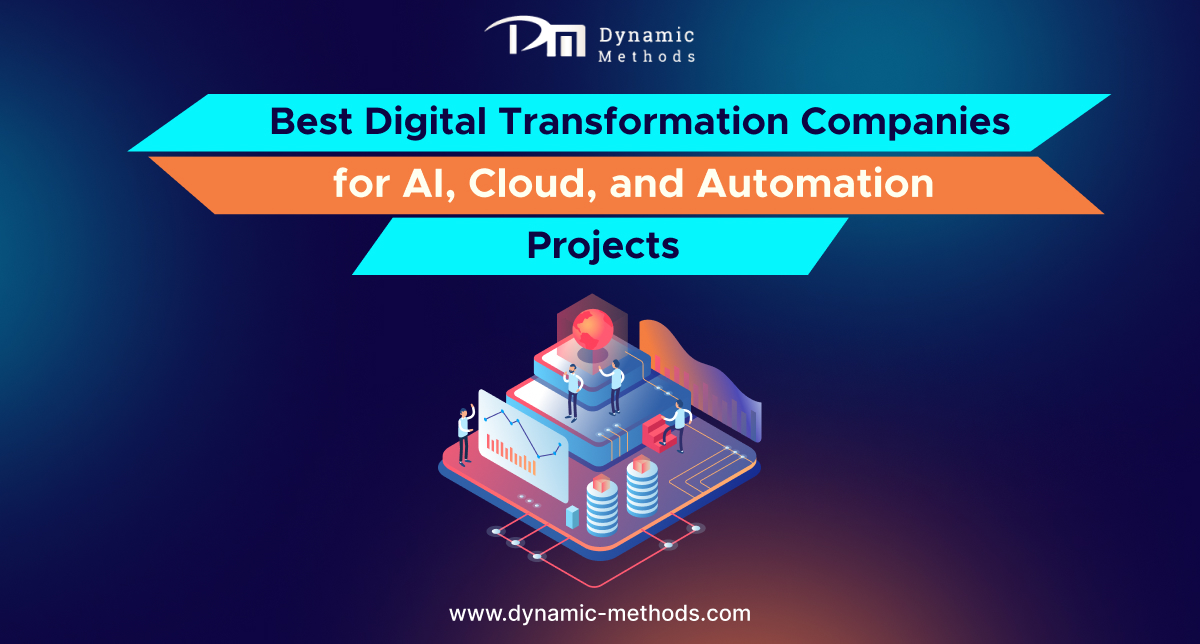
Illustration of digital transformation showing AI, cloud, and automation technologies with a modern data platform, titled “Best Digital Transformation Companies for AI, Cloud, and Automation Projects” by Dynamic Methods.

Best Digital Transformation Companies for AI, Cloud, and Automation Projects 

Illustration of digital transformation showing AI, cloud, and automation technologies with a modern data platform, titled “Best Digital Transformation Companies for AI, Cloud, and Automation Projects” by Dynamic Methods.
Best Digital Transformation Companies for AI, Cloud & Automation – Dynamic Methods

Businesses across every sector now look for ways to modernise how they work, serve customers, and manage data. This search often starts with a single phrase: ‘digital transformation‘. It covers the shift from outdated manual systems to smart, connected technology built around artificial intelligence, cloud infrastructure, and automation. For business owners planning an AI, cloud, or automation project, choosing the right partner matters as much as the technology itself. The right team brings clear strategy, proven delivery, and support that lasts well beyond launch. This article looks at what a strong transformation partner offers, what to check before you sign a contract, and where a company should stand out among the crowd.

What Does This Kind of Modernisation Actually Mean for a Business?

At its core, this process means a company rebuilds the way it operates using modern tools rather than old habits. Paper forms, manual spreadsheets, and disconnected software give way to systems that talk to each other, share data in real time, and reduce human error.

This is not a single project with a fixed end date. It is an ongoing shift in mindset, where teams adopt new tools, train staff, and measure results as they go. A business that treats this as a one-time job usually falls behind within a year or two.

Why AI, Cloud, and Automation Sit at the Heart of Every Modern Project

Artificial intelligence helps teams predict demand, spot fraud, and personalise customer experience without adding extra headcount. Cloud platforms give a business the flexibility to scale up or down without buying and maintaining physical servers. Automation removes repetitive manual tasks, which frees staff to focus on work that actually needs human judgement.

When a firm brings these three areas together under one plan, the results tend to compound. A cloud-based system with automated workflows and AI-driven insight can cut operating costs while it also improves the customer journey. This combination sits behind most digital transformation services and solutions offered by serious technology partners today.

How Do You Choose the Right Technology Partner for This Kind of Project?

Not every software vendor has the depth needed to guide a full modernisation programme. Before you hire anyone, check their track record with projects similar in size and industry to your own. Ask for case studies, not just a list of technologies they claim to know.

A good partner will ask questions about your goals before they pitch a solution. Look for a team that offers:

  • A clear discovery phase that maps your current systems and gaps
  • Experience across AI, cloud migration, and process automation, not just one area
  • Honest timelines and budget estimates rather than vague promises
  • Ongoing support after launch, including training for your staff
  • References from clients in your sector who can vouch for delivery

If a vendor cannot answer these points directly, treat that as a warning sign rather than a small detail.

What Sets the Best Firms Apart from the Rest?

The strongest digital transformation companies share a few traits regardless of size. They combine technical skill with genuine business understanding, so recommendations fit your goals rather than the vendor’s own product catalogue. They also communicate in plain language, which matters when non-technical stakeholders need to approve budgets and timelines.

Another marker is flexibility. A rigid firm that insists on one fixed methodology for every client rarely delivers a system that fits real-world use. Firms worth hiring adjust their approach based on your existing infrastructure, staff skills, and industry rules.

AI Integration as a Core Pillar of Modern Transformation

Artificial intelligence has moved from a nice-to-have feature to a central part of most digital transformation projects. Retailers use it to forecast stock levels, healthcare providers use it to support diagnosis, and finance teams use it to catch unusual transactions before they cause damage.

The value of AI depends entirely on the quality of the data feeding it. A partner worth its fee will spend real time cleaning and structuring your data before any model goes live. Skipping this step leads to poor predictions and wasted budget, no matter how advanced the underlying model claims to be.

Cloud Migration and Automation Working Together

Moving systems to the cloud gives a business room to grow without heavy upfront hardware spend. It also supports remote teams, faster backups, and stronger disaster recovery. When paired with automation, routine tasks such as invoicing, reporting, and customer follow-up run without constant manual input.

Firms such as Dynamic Methods, among others active in this space, illustrate how cloud and automation work best when planned together rather than added one after another. A staged rollout, tested in phases, tends to cause far fewer disruptions than a single large switchover.

Comparing Project Types Within a Transformation Programme

Project TypeMain GoalTypical Timeline
AI IntegrationBetter decisions and prediction3 to 6 months
Cloud MigrationScalable, flexible infrastructure2 to 5 months
Process AutomationLower manual workload, fewer errors1 to 3 months

This table gives a rough guide only, as real timelines shift based on the size of a business and the state of its current systems.

Common Challenges Businesses Face During These Projects

Budget overruns rank among the most frequent problems, usually caused by unclear scope at the start. Staff resistance also slows progress, since new systems change daily habits that people have followed for years. Clear communication and early training reduce this friction considerably.

Data migration issues cause delays too, particularly when old systems store information in formats that do not map cleanly to new platforms. A partner who tests data migration early, rather than at the final stage, avoids most of these setbacks.

Modern infographic with a bold title “What Questions Should You Ask Before You Hire a Company?” featuring a central 3D question mark and business-themed icons on a dark blue background.
Key questions to consider before choosing the right company for your project.

What Questions Should You Ask Before You Hire a Company?

Before you commit budget to any digital transformation service, put these questions to every shortlisted vendor:

  • Can you show a project of similar scale that you delivered on time?
  • How do you handle data security during and after migration?
  • What does support look like once the project goes live?
  • Will our staff receive proper training on the new systems?
  • How do you measure success once the project ends?

Vendors who provide direct, specific answers to each of these tend to be the digital transformation companies worth shortlisting further. Those who dodge specifics or lean on jargon instead of detail are worth crossing off your list.

Conclusion

Choosing the right partner for an AI, cloud, or automation project shapes how smoothly your business adapts to changing markets and customer expectations. The strongest partners bring a clear plan, honest communication, and support that continues after go-live day, whether the work touches AI models, cloud infrastructure, automation, or all three together. Firms like Dynamic Methods reflect the kind of blended approach that many businesses now look for when they plan a full digital transformation. Take time to check track records, ask direct questions, and pick a partner who understands your goals rather than one who simply sells technology.

FAQs

1. How long does a typical transformation project take?
Most projects run between one month and six months, depending on scope and the state of existing systems.

2. Do small businesses need AI as part of this process?
Not always. Many small firms start with cloud migration and automation first, then add AI once data quality supports it.

3. What is the biggest risk during a cloud migration?
Poor planning around data mapping causes the most delays and errors during a move to the cloud.

4. Can automation replace staff roles entirely?
Rarely. Automation usually removes repetitive tasks and shifts staff toward work that needs judgement and creativity.

5. How do I know if a vendor has real experience?
Ask for case studies and references from clients in your own industry, not just a general list of past clients.

Best Digital Transformation Companies for AI, Cloud, and Automation Projects  Read More »

A professional quality engineering banner showing a man wearing a yellow hard hat working on a computer in a modern tech workspace, with the text “Quality Engineering - Everything You Need to Know.

Quality Engineering: Everything You Need to Know

A professional quality engineering banner showing a man wearing a yellow hard hat working on a computer in a modern tech workspace, with the text “Quality Engineering - Everything You Need to Know.
Delivering precision and performance with expert quality engineering solutions.

Every business that builds software faces one question sooner or later: how do you make sure the product works the way it should? That question sits at the heart of quality engineering, a discipline that has moved far beyond simple bug checks to become a core part of how modern teams design, build and release digital products. This article covers what the practice involves, why it matters and how the right approach saves a business time, money and reputation.

What Is Quality Engineering?

Quality engineering means teams build quality into a product from the first line of code rather than check for faults once development ends. The practice covers process design, automated checks, performance reviews and security assessments, all woven into each stage of a project rather than added at the finish.

Traditional testing often starts after a build is complete. Quality engineering treats quality as a shared responsibility across the whole team instead. Developers, testers and product owners work together from day one, so fewer surprises appear later, and the product meets real user needs rather than a checklist.

Why Does Quality Engineering Matter for Businesses Today?

Why should a business owner care about this beyond the technical team? The answer is simple: broken software costs money, trust and customers. A slow app, a payment page that fails or a security gap can undo months of marketing effort in a single afternoon.

Strong practices reduce these risks before they reach a live audience. They also shorten release cycles, since teams catch problems early rather than after launch, when fixes cost more and reputational damage has already spread. For companies that compete in crowded markets, this can decide whether a customer leaves a five-star review or walks away for good.

Key Principles That Guide the Practice

A handful of principles sit behind most successful programmes. These apply whether the product is a mobile app, an e-commerce platform or an internal business tool.

  • Build checks into every stage of development rather than save them for the end
  • Automate repetitive checks so teams can focus on complex, judgement-based problems
  • Treat security and performance as quality issues, not separate concerns
  • Involve the whole team, not just a dedicated testing group
  • Measure outcomes with real data rather than assumptions

These principles work together rather than in isolation. A team that automates checks but ignores security still leaves gaps that hurt users and the business alike.

Quality Engineering Services and Traditional Testing: What Is the Difference?

Many people use testing and quality engineering as if they mean the same thing, but a real distinction exists.

AspectTraditional TestingQuality Engineering
TimingHappens after developmentRuns throughout development
FocusFinds defectsPrevents defects
OwnershipTesting team aloneWhole project team
ToolsManual scripts mostlyAutomation and continuous checks
OutcomePass or fail reportOngoing product improvement

Businesses that choose quality engineering services often see fewer defects reach production, because problems get flagged and fixed while the code stays fresh in the developer’s mind rather than weeks later during a separate testing phase.

Core Solutions Businesses Should Consider

When a company wants to strengthen its approach, a few practical solutions tend to deliver the strongest results. Good quality engineering solutions usually combine several of these elements rather than rely on just one.

  • Automated regression checks that run with every code update
  • Performance and load assessments before major releases
  • Security reviews built into the development pipeline
  • Continuous integration and continuous delivery pipelines with quality gates
  • Clear metrics and dashboards that show trends over time, not just single results

The right combination depends on the size of the product, the industry and the risk tolerance of the business. A fintech platform will lean heavily on security and compliance checks, while a content-heavy website might put speed and accessibility first.

How Do Software Quality Assurance Services Fit Into the Picture?

Where does assurance sit alongside engineering practices? Software quality assurance services verify that a finished product meets agreed standards before it reaches users. They act as a final layer of confidence and check that everything built during development behaves as intended in real conditions.

Assurance and engineering work best as partners rather than rivals. Engineering builds quality into the process; assurance confirms it at the point of delivery. Businesses that treat these as one connected effort, backed by proper software quality assurance services, tend to release more stable products with fewer fixes after launch.

How Do Teams Measure Success in This Practice?

What does good actually look like once these practices sit inside a project? Most teams track a mix of numbers rather than rely on gut feeling. Defect rates, the time a fix takes from discovery to release, and how often a build passes its automated checks all give a clear picture of whether the process works.

Beyond raw numbers, teams also watch how quickly they can release with confidence. A mature process lets a team ship updates weekly or even daily without fear, because the checks built into the pipeline catch problems before users ever see them. When those numbers trend in the right direction over several months, it signals that the investment in process and tooling pays off rather than sits as an added cost.

Quality Engineering Across Different Industries

The approach looks different depending on the sector. A healthcare app must meet strict regulatory standards and protect sensitive patient data, so compliance checks and security reviews take priority alongside functional testing. A retail platform, on the other hand, often cares most about speed during peak shopping periods, so load testing and performance tuning sit near the top of the list.

Financial services firms tend to blend both concerns, since they handle sensitive data and need systems that stay fast under pressure. Education platforms and internal business tools usually carry lower risk, which means teams can often move faster and rely more heavily on automation with lighter manual oversight. Understanding where a product sits on this spectrum helps a business decide how much to invest and where.

Two business professionals in a modern office shaking hands across a desk, symbolizing partnership and collaboration, with the text “Choosing the Right Partner for Your Project.”
Build strong partnerships that drive project success and long-term growth.

Choosing the Right Partner for Your Project

Not every business has the in-house skills or time to build a mature quality programme from scratch, so many turn to specialist partners. A good partner brings experience across industries, established automation frameworks and a track record that shows problems get caught before they turn expensive.

Firms such as Dynamic Methods, which work across web, mobile and enterprise software projects, show how teams can build a dedicated quality approach into product development from the outset rather than treat it as an afterthought. When you evaluate a partner, look for clear reporting, a proven process and a willingness to adapt the approach to your specific product rather than offer a one-size-fits-all package. The strongest partners also explain their quality engineering services in plain terms so non-technical stakeholders understand what they pay for and why it matters.

Common Challenges Teams Face

Even well-resourced teams hit obstacles when they try to strengthen their quality practices. Budget pressure often pushes checks to the bottom of the priority list, especially when deadlines tighten. Legacy systems also make automation harder, since older code was rarely written with testing in mind.

Skills gaps present another hurdle. Automation, security review and performance analysis each need specific expertise, and few small teams hold all three in-house. Teams that face this gap often mix training, targeted hires and, where budgets allow, outside specialists for the areas that matter most. This is often where quality engineering solutions from an external partner close the gap fastest, since they arrive with the tools and processes already built.

Conclusion

Quality Engineering has grown from a niche technical concern into a business priority, and for good reason. It touches customer trust, release speed and long-term cost control alike, which is why more companies now treat it as a core part of product strategy rather than a final checkpoint. Whether a business builds this capability in-house or works with a partner such as Dynamic Methods, the goal stays the same: fewer surprises, stronger products and customers who come back.

Frequently Asked Questions

1. Is quality engineering only relevant to large companies?
No, businesses of any size can benefit, though the scale of the programme differs depending on budget and product complexity.

2. How long does it take to see results after we adopt these practices?
Many teams notice fewer defects within a few release cycles, though the full benefits often take a few months to show clearly.

3. Do we need to replace our current testing team to make this work?
Not at all. Most testing teams simply expand their role and get involved earlier in the development process rather than get replaced.

4. What is the biggest mistake companies make when they start out?
Teams often try to automate everything at once. It works better to start with high-risk areas and expand step by step.

5. Can a small business afford to bring in outside help for this?
Yes, many providers offer scalable packages, so a business can start small and grow the engagement as needs change.

Quality Engineering: Everything You Need to Know Read More »

Affordable e-commerce app development service for small businesses with mobile shopping illustration

Which e-commerce app development service offers the most affordable pricing for small businesses

Affordable e-commerce app development service for small businesses with mobile shopping illustration
Cost-effective e-commerce app development services designed to help small businesses grow online.

Small business owners often ask the same question before they start a project. They want to know which e-commerce app development services actually fit a tight budget without cutting corners on quality. The honest answer is that affordable pricing depends less on a single winning provider and more on how a company structures its rates, its team, and its process. This article looks at what shapes pricing in this space, how small businesses can compare providers fairly, and what questions deserve an answer before any contract gets signed. Getting these basics right early on saves a business owner from painful surprises once a project is already underway.

What Determines The Cost Of E-commerce App Development

The price tag on an e-commerce app rarely comes from one factor alone. Team location plays a large role, since hourly rates in South Asia or Eastern Europe sit far below rates in North America or Western Europe. App complexity matters just as much. A basic shopfront with a catalogue and checkout costs far less than an app with custom logistics, loyalty programs, or multi-vendor support.

The technology stack also shapes the final bill. A native app built separately for iOS and Android costs more than a single cross-platform build. Ongoing maintenance, bug fixes, and future updates add to the total cost of ownership too, so a small business should ask about post-launch support before it looks only at the build price. Payment gateway integration, third-party plugins, and app store fees also add small but recurring costs that a first-time buyer can easily overlook during initial budgeting.

Signs Of An Affordable Ecommerce App Development Company

A genuinely affordable e-commerce app development company shows certain traits early in the conversation. It gives a clear scope document rather than a vague quote, and it explains what falls inside and outside the budget. Small businesses can look for these signals during the first few calls:

  • A fixed-price or milestone-based quote instead of an open-ended hourly estimate
  • A portfolio with real e-commerce projects, not just generic app screenshots
  • Clear communication about the technology stack and why it fits the budget
  • A written breakdown of design, development, testing, and support costs
  • Willingness to start with a smaller MVP rather than pushing a full build immediately

Firms that skip these steps and jump straight to a headline number often add hidden charges later. A transparent e-commerce app development company treats pricing as part of the trust-building process, not just a sales tactic, and it welcomes questions rather than rushing a small business toward a signature.

Does Team Location Affect Ecommerce App Development Pricing

Location remains one of the biggest drivers behind any quote, and small businesses should not ignore it. A team based in a lower-cost region can offer the same standard of work at a fraction of the rate charged by an agency in a major Western city, largely because of differences in living costs and office overheads rather than differences in skill.

That said, location alone should not decide a hiring choice. Time zone overlap, English fluency, and communication habits matter just as much as the hourly rate on paper. A small business benefits most from a provider that combines a competitive rate with clear reporting, regular calls, and a project manager who responds quickly during the working week. Video calls scheduled at a sensible overlap hour, weekly status updates, and a shared task board all reduce the friction that can otherwise come with working across different time zones.

Which Pricing Model Suits Small Businesses Best

Small businesses usually choose between three pricing structures: fixed price, time and materials, or a dedicated team model. A fixed-price model works well for a defined project with a clear feature list, since it protects the budget from scope creep. Time and materials suits projects that change as user feedback comes in, though it needs a business owner who can track hours closely.

A dedicated team model tends to suit businesses planning several updates over the coming years rather than a single launch. Many e-commerce app development services offer a mix of these models, so a small business does not need to lock into one structure for the entire relationship. Asking a shortlisted provider which model fits a limited first-year budget is a fair and reasonable question during early discovery calls.

How To Compare Ecommerce App Development Pricing

Comparing quotes side by side helps a small business spot patterns rather than judge a single number in isolation. The table below provides a rough guide to what different project types typically involve, without providing exact figures that vary by region and provider.

Project TypeTypical ScopeTimeline
Basic storefront appCatalogue, cart, checkout, payment gateway6 to 10 weeks
Mid-size retail appStorefront plus loyalty, push notifications, order tracking3 to 5 months
Complex marketplace appMulti-vendor support, custom logistics, advanced analytics5 months or more


Providers such as Dynamic Methods often break a quote into these same categories, which makes it easier for a small business to see where its budget actually goes rather than accepting one combined figure. Many agencies advertise e-commerce app development services at a similarly low headline rate. Yet, the scope hidden behind that figure can differ quite a lot from one provider to the next, so the table above is only a starting point for a proper conversation.

Why Small Businesses Should Avoid The Cheapest Option

The lowest quote on a shortlist rarely represents the best long-term value. A team that underprices a project often cuts corners on testing, security checks, or post-launch support, and those gaps surface only after the app goes live. Rebuilding a poorly coded app costs more than paying a fair rate the first time around, and the lost sales during downtime often outweigh whatever the business saved on the original quote.

A better approach looks at value per pound rather than the raw number on a quote. A small business planning e-commerce app development should judge a provider on the working prototype, the support window, and the honesty of the timeline rather than on the headline price alone. Reading past client reviews and asking for references helps confirm whether a quoted price matched the final invoice.

Small business app budget control illustration with smartphone, piggy bank, calculator, and growth chart
Smart strategies to keep your app development budget under control for small businesses.

How Can A Small Business Keep Its App Budget Under Control

Staying within budget starts before development begins, and a few practical habits make the biggest difference over the course of a project:

  • Define a lean minimum viable product rather than requesting every feature on day one
  • Roll out extra features in phases once the app already generates revenue
  • Reuse open-source frameworks and existing plugins instead of custom-coding routine functions
  • Set a fixed contingency of around ten percent for unexpected changes
  • Review progress against the milestone plan every few weeks rather than only at the end

Choosing a provider that reuses proven components, rather than building every function from scratch, keeps the invoice closer to the original estimate and reduces the risk of delays.

Conclusion

No single provider can claim to be the cheapest e-commerce app development company for every business, since needs and budgets differ so widely. What small businesses can control is asking the right questions, comparing quotes on the same criteria, and choosing a partner that explains its pricing clearly rather than one that simply undercuts the market. Firms like Dynamic Methods that break costs down by phase tend to give business owners a realistic picture of what good e-commerce app development services should include, which in turn helps small businesses plan a budget that holds up from the first meeting through to launch and beyond.

Frequently Asked Questions

1. How much does a basic e-commerce app cost for a small business?

A simple shopfront app with standard checkout features usually costs less than a custom build with advanced logistics, though exact figures vary by provider and region.

2. Is a fixed price or hourly rate better for a small business?

A fixed price suits a defined project scope, while an hourly rate suits a project expected to change as user feedback comes in.

3. Can a small business start with a smaller app and add features later?

Yes, a phased approach with a minimum viable product first is often cheaper and lets a business test demand before investing in extra features.

4. What questions should a small business ask before hiring a provider?

Ask about the pricing model, what falls outside the quoted scope, who handles post-launch support, and whether the team has built similar apps before.

5. Do cheaper providers always deliver lower-quality apps?

Not always, but a very low quote often signals shortcuts in testing or support, so it helps to check reviews and ask for a detailed cost breakdown first.

Which e-commerce app development service offers the most affordable pricing for small businesses Read More »

Team discussing digital transformation and custom software development solutions in a modern office environment

Looking for Digital Transformation Companies that Provide Custom Software Development and Consulting

Team discussing digital transformation and custom software development solutions in a modern office environment
Digital transformation companies offering custom software development and consulting services

Many business owners look for digital transformation companies once old systems start to slow their growth. Manual processes, outdated tools and scattered data create friction that rivals do not face. A modern partner brings the technical skill and the strategic view a business needs to move forward with confidence. It does not just supply new software; it offers a clear plan for how technology should fit the goals ahead. As markets shift faster each year, businesses that delay this step often find the gap between them and their competitors grows wider rather than smaller.

What Do These Companies Actually Offer?

A firm that focuses on digital transformation services and solutions usually covers more than one discipline. It brings together software engineers, cloud specialists, UX designers and business consultants under one roof. This mix matters because a single new tool rarely solves a deep operational problem on its own.

The best partners study the full picture first. They look at current workflows, spot the gaps and then suggest a route that suits the size and budget of the business rather than a generic package built for everyone. A small firm and a large enterprise need very different plans, even if the underlying problem looks similar on paper. This early groundwork often decides whether a project succeeds or drifts off course later.

Why Custom Software Development Matters

Off-the-shelf tools often force a business to change its own processes just to fit the software. Tailored software takes the opposite approach. A team builds the product around how the business already works, so staff adapt faster, and results appear sooner.

Common reasons businesses ask for a tailored build include:

  • Existing software cannot handle current data volume or customer numbers
  • Multiple disconnected tools create duplicate work and errors
  • Compliance or security rules demand a bespoke solution
  • Growth plans need a platform that can scale without a full rebuild

A tailored build also gives a business full ownership of its own code, which matters once the company grows past its first few years and needs more control over its own systems. Many firms find that this ownership pays off years later, when they need to add new features without waiting on a third-party vendor to approve every change.

How Do You Choose Between Digital Transformation Companies?

This question comes up often, and the answer depends on more than price alone. A short list of digital transformation companies deserves a check against proven delivery, clear communication and a track record across similar projects, not just a polished website full of buzzwords.

Ask for case studies from businesses of a similar size. Ask how the team handles change requests once a project starts, since plans shift as soon as real users test a product. A partner who answers this clearly, without vague promises, tends to deliver a smoother project from start to finish. It also helps to speak with a past client directly, since a short conversation often reveals more than any brochure or sales pitch ever could.

What Should Consulting and Development Look Like Together?

Good consulting sits before, during and after the build phase. Consultants map the current state of the business, set measurable goals and agree a realistic budget. Custom software development then follows that roadmap rather than a guess at requirements made halfway through the project.

A strong partner takes practical steps together with the client:

  • A discovery phase to define scope and success measures
  • A working prototype before full development starts
  • Tests with real users early rather than at the final stage
  • A review of results against the original goals once the product launches

This structure cuts wasted spend and keeps the final product close to what the business actually needs, not what the brief assumed at the start of the project. It also builds trust between both sides, since each stage gives the client a chance to confirm the work still matches the original goal.

Signs Your Business Needs Digital Transformation Services and Solutions

Certain warning signs point to a business that needs help sooner rather than later. Staff who copy data between systems by hand lose hours each week. Customers who wait too long for a response because teams cannot reach shared information also point to a problem underneath.

Businesses that rely on spreadsheets for tasks a proper platform should handle often hit a ceiling on growth. At that stage, digital transformation services and solutions stop being an option and become the difference between steady growth and a business that stalls. Owners who notice these patterns early tend to fix them at a much lower cost than those who wait until the problem affects customers directly.

What Makes a Reliable Technology Partner

Reliability comes from consistency, not marketing claims. A dependable partner answers questions directly, keeps to agreed timelines and stays available once a project goes live rather than disappears after launch day. Dynamic Methods, among other established software firms, reflects this pattern through project work built around web, mobile and enterprise software across several industries.

A partner worth the choice also invests in proper quality checks and support, since a product that breaks after release costs far more to fix than one tested well the first time. Tailored software only pays off when the finished product stays reliable for years, not just at launch. 

What Does a Good Project Timeline Look Like?

A clear timeline gives a business confidence before work even starts. Most projects move through a few distinct stages: discovery, design, build, test and launch. Each stage needs a defined endpoint so both sides know when to move to the next step rather than drift through the project without clear markers.

A well-planned project also leaves room for a short review period after launch. This lets the team fix small issues quickly and confirms the product meets the goals set at the start. Digital transformation services and solutions work best when this final check forms part of the plan rather than an afterthought once the client raises a concern.

Team providing ongoing software support and maintenance after product launch in a modern office environment
Ongoing support and maintenance services ensure software success after launch

What Role Does Ongoing Support Play After Launch?

A project does not end the day a product goes live. Systems need updates, security patches and small fixes as real users find issues that testing missed. A partner who plans for this stage from the start saves the client from a scramble later when something breaks at an awkward time.

Regular check-ins after launch also give a business the chance to add small improvements based on real feedback. This turns a one-off project into a long-term relationship, which tends to suit businesses that plan to grow their systems over several years rather than treat software as a single purchase.

A Simple Way to Compare Options

FactorWhy It Matters
Delivery recordShows whether timelines and budgets hold up in practice
Team structureConfirms access to design, development and QA together
Post-launch supportShows how issues get fixed once the product goes live
Industry experienceCuts guesswork around specific compliance or workflow needs
Communication styleAffects how smoothly change requests move through the project

A table like this helps narrow a shortlist before the first call even happens, and it keeps the decision based on facts rather than a first impression from a homepage.

Conclusion

The choice between digital transformation companies comes down to fit, not just capability. A business needs a partner who understands its goals, builds software around real workflows and stays involved well after launch day. Firms such as Dynamic Methods show what this balance can look like when consulting and development work together rather than apart, and that combination remains the true measure of a good technology partner.

FAQs

1. Is digital transformation only about new software?
No. It also covers process change, staff training and how data moves between teams, not just the tools themselves.

2. How long does a typical project take?
Timelines vary by scope, but most custom builds take between three and nine months from discovery to launch.

3. Can a small business afford custom software development?
Yes, many firms offer a phased build that starts with a core product and adds features as budget allows.

4. What happens if requirements change mid-project?
A good partner reviews the change, adjusts the timeline and budget where needed, and keeps the client informed at each step.

5. Do I need a consultant if I already have an in-house team?
Often yes, since an outside consultant brings an objective view and experience from similar projects across other businesses.

Looking for Digital Transformation Companies that Provide Custom Software Development and Consulting Read More »