

Author name: Vikash Parihar

Vikash Parihar is Dynamic Methods' Business Development Manager, leveraging 10 years of industry experience. His forward-thinking strategies and effective networking contribute significantly to our business growth and expansion.

vikash parihar
Flutter is the of cross platform app development

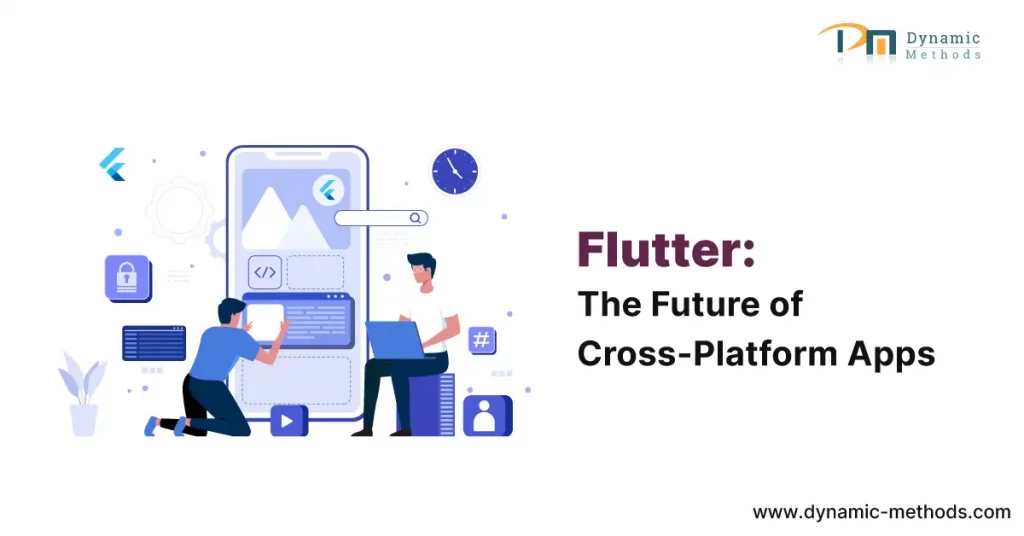
Why Flutter is the Future of Cross-Platform App Development: A Comprehensive Guide

Flutter is the of cross platform app development

In the relentless pace of the digital era, mobile applications have grown from a convenience to a necessity. The burgeoning demand for these applications has seen an inundation of mobile app development frameworks in the industry.

Amidst this overflow, Flutter, a sterling creation of Google, has surfaced as a formidable contender. But what makes Flutter outshine the competition, and why is it touted as the future of cross-platform app development?

Join us as we dissect the reasons.

Why Flutter is the Future of Cross-Platform App Development

The Cornerstone of Future Cross-Platform App Development As an ingenious offering from Google, Flutter is a free, open-source framework that grants developers the capacity to devise native-like interfaces for both iOS and Android platforms.

However, Flutter isn’t simply another entrant in the tech arena. Its distinct traits and abilities set it aside, marking it as a transformative entity in the world of app development.

1. The Might of a Unified Codebase

One of Flutter’s standout attributes is its ability to utilize a single codebase to generate applications for diverse platforms. This functionality dispenses with the need for platform-specific code, culminating in expedited development cycles and substantial cost reduction.

2. Unmatched Performance

Flutter stands out from many cross-platform frameworks as it does not depend on a JavaScript bridge to interact with native components. This distinguishing feature propels Flutter ahead, offering performance that can rival that of native applications.

3. An Extensive Selection of Customizable Widgets

Flutter is endowed with an extensive collection of customizable widgets, empowering developers to construct intricate and visually enticing interfaces. These widgets morph according to the specific design languages of different platforms, presenting an authentic native user experience.

4. Diving Deeper into Flutter's Suite of Features

While the benefits highlighted above are compelling, it’s critical to delve deeper into the core characteristics that bolster Flutter and understand why it’s acclaimed as the future of cross-platform app development.

5. Hot Reload: The Secret Weapon of Developers

Among the most lauded features of Flutter is the hot reload. It allows developers to see the impact of their modifications almost immediately, without discarding the current application state.

This function not only accelerates the development process but also streamlines debugging, significantly boosting productivity.

6. The Power of Dart

Flutter leverages Dart as its programming language. Dart is admired for its simplicity and functionality, merging the best traits of JavaScript and Java to create a potent tool for developers.

7. Flutter's Reach Beyond Mobile: Web and Desktop

Flutter’s utility is not confined to mobile applications. Recent upgrades have widened Flutter’s range to include web and desktop applications, fortifying its position as the future of cross-platform app development.

Why Developers are Migrating to Flutter

What makes Flutter so attractive to developers? What’s compelling an increasing number of coders to familiarize themselves with this framework?

1. Streamlining the Development Process

Flutter enables developers to write code once and deploy it across various platforms. When coupled with features like hot reload, the development process is considerably streamlined, leading to a significant reduction in time and effort.

2. An Active and Growing Community

Flutter prides itself on a dynamic and continually expanding community. This robust ecosystem provides developers with plentiful resources and helps resolve common hurdles.

3. The Google Advantage

The Google Edge Flutter’s affiliation with Google assures regular updates and technological advancements. Google’s investment in Flutter’s success guarantees its longevity and growth, making it a dependable choice for developers.

Flutter in Action: Real-World Success Stories

Flutter’s capabilities extend beyond mere promises; they deliver tangible results. Let’s glance at a few case studies that demonstrate Flutter’s practical applications.

Alibaba's Xianyu

One of the world’s largest e-commerce conglomerates, Alibaba, utilized Flutter to engineer its Xianyu app. The result? A high-performing application catering seamlessly to over 50 million users.

Google Ads

Google leveraged Flutter to develop its Google Ads application, testifying to its confidence in the framework’s abilities. With stellar performance and a user-friendly interface, the Google Ads app stands as a shining testament to Flutter’s potential.

Reflectly

Reflectly, a premier lifestyle app, underwent a transformation using Flutter. The result was a stunning, intuitive, and nimble app that garnered immense user admiration.

Conclusion

From its phenomenal performance and versatility to the robust backing of Google, there’s a multitude of reasons why Flutter is perceived as the future of cross-platform app development.

As the advantages of Flutter become more universally recognized, its standing in the app development industry is set to soar even further.

If you’re captivated by Flutter’s potentials and considering it for your next project, don’t hesitate to explore the possibilities.

Whether you’re aiming for a high-performance mobile application or planning to extend your digital presence to the web and desktop platforms, Flutter could be the tool that propels your ideas into reality.

Intrigued to learn more about how Flutter can drive your project’s success? Feel free to reach out to us. Our team of experienced professionals is here to guide you through the process and answer any queries you might have.

Whether you’re still in the ideation phase or ready to kick start your project, we’re excited to collaborate with you. Submit your inquiry now and let’s turn your vision into a reality.

Flutter FAQs

1. What is the primary purpose of Flutter?

Flutter is a UI toolkit designed to facilitate the development of natively compiled applications for mobile, web, and desktop platforms from a single codebase.

2. How does Flutter stack up against React Native?

Although both frameworks have their advantages, Flutter outshines React Native in terms of performance, a wider array of widgets, and a simpler development process.

3. Is it straightforward to learn Flutter?

If you are acquainted with object-oriented concepts and have a basic understanding of programming, you will find Flutter and its programming language, Dart, relatively easy to master.

4. What is the typical duration to develop an app with Flutter?

While the development timeframe can fluctuate depending on the complexity of the app, Flutter’s single codebase and hot reload features generally mean quicker development compared to other frameworks.

5. Is Flutter suited for enterprise-level applications?

Absolutely! Flutter’s stellar performance and flexibility make it an excellent choice for large-scale, enterprise-level applications.

6. Is Flutter free to use?

Indeed, Flutter is a free and open-source framework.

Why Flutter is the Future of Cross-Platform App Development: A Comprehensive Guide Read More »

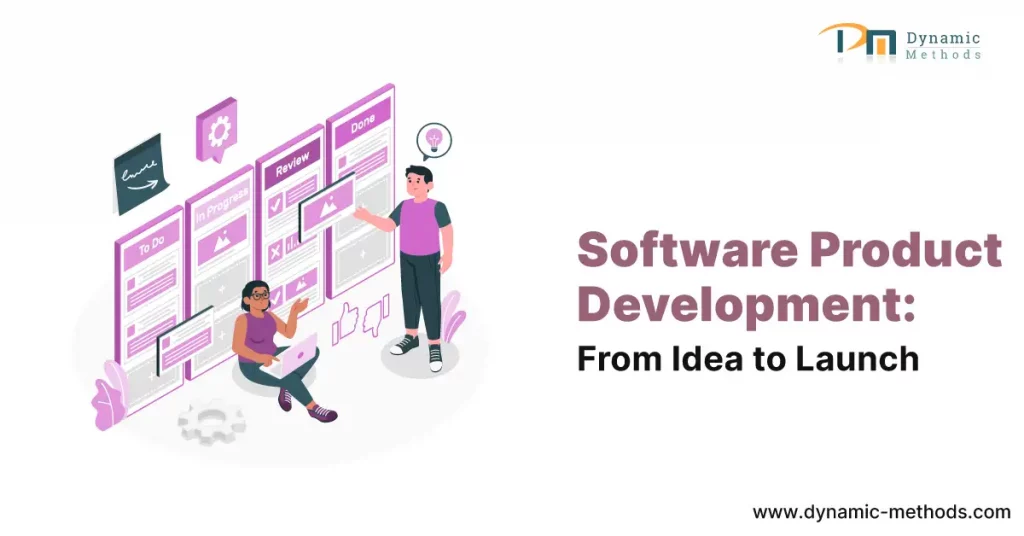
From Idea to Launch: A Comprehensive Guide to Successful Software Product Development

The journey from idea to launch in the world of software product development can seem daunting, especially if you’re new to the industry. However, it’s important to remember that every groundbreaking software we use today, whether it’s a social media platform or an advanced artificial intelligence system, began as a simple idea in someone’s mind.

In this comprehensive guide, we will demystify the process and break it down into manageable steps, helping you transform your brilliant idea into a successful software product that can make a significant impact.

1. Ideation: The Genesis of Great Software

What Makes a Good Idea?

Not every idea becomes the next Google or Facebook. In the software world, a good idea should be innovative, have a potential market, and solve a problem or fulfill a need. Brainstorming and conducting thorough market research can help refine your initial concept into a well-defined idea that has the potential to succeed.

Research: Validate and Refine Your Idea

Once you have an idea, it’s crucial to validate it. Will it sell? Is there a market for it? These questions are pivotal at this stage. Start by conducting market research to explore your competitors, identify your target audience, and gather insights from industry trends. This validation process will ensure that your idea has a solid foundation before moving forward.

2. Planning: Blueprint of Your Software Product

Requirements Gathering

In the planning stage, you will identify what your software product needs to do in order to provide value to its users. Consider using techniques like user stories or use cases to visualize the end-user experience and outline the necessary functionalities.

Technical Feasibility Study

Can your idea be transformed into a reality with the current technology available? Conducting a feasibility study will help answer this question. Evaluate the technical aspects and economic viability of your software product to ensure it aligns with your vision and goals.

3. Design: Crafting the User Experience

Wireframes and Prototypes

A picture is worth a thousand words, especially in software design. Utilize wireframes to create a basic visual guide of the product layout. As you progress, develop prototypes that simulate user interactions, bringing your idea closer to reality and allowing you to gather valuable feedback.

User Interface and User Experience (UI/UX) Design

The success of a software product hinges on its user experience. Focus on creating an attractive and intuitive user interface (UI) that aligns with your target audience’s preferences. Additionally, ensure a smooth user experience (UX) to enhance engagement and retention rates.

4. Development: Turning Concepts into Code

Choosing the Right Technology Stack

Selecting the appropriate technology stack is crucial for the success of your software product. Consider the nature of your project, scalability requirements, and the expertise of your team when making this decision. Choose technologies that will empower your product to thrive.

Adopting an Agile Approach

In the fast-paced world of software development, flexibility is key. Embrace agile methodologies that allow for iterative development, continuous improvement, and quick adaptation to changes. Agile practices will enable you to deliver high-quality software in a dynamic environment.

5. Testing: Ensuring Quality and Reliability

Quality Assurance (QA) and Testing

Bugs and glitches can severely impact the reputation of your software product. Implement rigorous quality assurance processes and perform various testing methods such as unit, integration, system, and user acceptance tests. This ensures a smooth user experience and minimizes the chances of issues arising.

Security Testing

In the digital age, data breaches can be disastrous. Prioritize security testing to ensure your software product can withstand various threats, safeguarding users’ data and privacy. Make security a top priority throughout the development lifecycle.

6. Deployment: The Big Launch

Pre-Launch Preparations

Before introducing your software product to the market, devise a comprehensive launch strategy. This may involve public relations (PR) activities, strategic marketing campaigns, or even beta launches to a select group of users. Create anticipation and excitement surrounding your product.

Launch and Post-Launch Support

The launch day is just the beginning of your software product’s journey. Establish a system of continuous support, provide frequent updates, and actively engage with user feedback. This ongoing commitment to improvement and responsiveness is vital for achieving long-term success.

Conclusion

The path from idea to launch in software product development is filled with challenges and triumphs. Equipped with this step-by-step guide, a clear vision, and unwavering determination, you possess the tools necessary to transform your brilliant software idea into a market-ready product capable of changing the world, one line of code at a time.

Remember, every great software product starts with an idea. With dedication, perseverance, and the right approach, you can transform your idea into a reality that has the potential to revolutionize the world. So, embrace the journey from idea to launch and embark on this exciting adventure today!

For the requirements of your business, Dynamic Methods is a professional software development company that provides software product development services,  do get in touch with us if you need services.

We hope this comprehensive guide has inspired you to take the first step towards bringing your software product to life.

If you have any questions or would like to share your own experiences, we’d love to hear from you. Leave a comment below, like and share this blog post, and join the conversation. Together, let’s shape the future of software product development!

Frequently Asked Questions (FAQs)

1. How long does software product development take?

The time required to develop a software product can vary greatly depending on factors such as project complexity, available resources, and development methodology. It’s challenging to provide an exact timeframe, as each project is unique.

2. How much does it cost to develop a software product?

The cost of software product development depends on various factors, including the complexity of the software, technologies employed, and the geographical location of the development team. It’s recommended to conduct a thorough analysis and consult with experts to determine a realistic budget.

3. What skills are needed for software product development?

Software product development requires a range of skills, including technical expertise in programming, knowledge of frameworks and databases, project management capabilities, UI/UX design proficiency, quality assurance and testing skills, and a comprehensive understanding of the software development life cycle (SDLC).

4. Is it necessary to have a technical background to launch a software product?

While having a technical background can be advantageous, it is not a prerequisite for launching a successful software product. Many non-technical founders have achieved remarkable success in the industry.

However, it is essential to collaborate with a competent technical team or partner to bring your vision to life.

5. Can software product development be outsourced?

Yes, software product development can be outsourced to external companies or teams. Many organizations opt for this approach due to advantages such as cost savings, access to global talent pools, and the ability to focus on core business activities.

However, careful selection and management of the outsourcing process are crucial for success.

6. What is the importance of market research in software product development?

Market research plays a pivotal role in software product development. It helps validate your product idea, gain insights into the target audience, understand competitors, and reduce the risk of product failure.

By conducting thorough market research, you increase the chances of creating a product that meets market needs and achieves widespread acceptance.

From Idea to Launch: A Comprehensive Guide to Successful Software Product Development Read More »

Building RESTful APIs with PHP Frameworks: A Developer’s Guide

In the increasingly interconnected world of digital technology, the demand for seamless interoperability among diverse software systems has never been higher. This has led to the ascendance of Application Programming Interfaces (APIs) as a key facilitator in ensuring smooth interaction and integration between different applications.

A widely adopted approach in this context is the development of RESTful APIs using PHP frameworks, owing to their inherent flexibility and potential for scalability.

Building RESTful APIs with PHP Frameworks: A Developer's Guide

This detailed guide is designed to furnish developers with invaluable insights, practical strategies, and industry-acknowledged best practices to masterfully construct RESTful APIs utilizing PHP frameworks.

1. Understanding REST Architecture

REST, standing for Representational State Transfer, is an architectural style that provides a set of constraints and principles for the design of scalable and maintainable web services.

RESTful APIs adhere to these principles, thereby making available resources and enabling clients to perform various operations on them. By strictly following REST principles, developers can create APIs that are interoperable, stateless, and more straightforward for consumption.

2. Choosing the Perfect PHP Framework

The decision of choosing the appropriate PHP framework is instrumental in the efficient creation of RESTful APIs. Numerous popular frameworks exist, each boasting unique strengths and advantages:

3. API Architecture Design

Before plunging into the intricacies of implementation, it is vital to design a well-articulated API architecture. This process involves outlining the resources, endpoints, and data structures that the API will expose.

Through meticulous planning of the API’s structure, developers can guarantee clarity, consistency, and user-friendliness for API consumers.

4. Executing CRUD Operations

CRUD operations, standing for Create, Read, Update, Delete, form the primary functionality of most APIs. PHP frameworks deliver handy methods and tools for efficiently managing these operations.

By utilizing the capabilities of the chosen framework, developers can streamline the implementation of CRUD functionality, thereby ensuring data integrity and security.

5. API Authentication and Security

API security is paramount in safeguarding sensitive data and thwarting unauthorized access. PHP frameworks offer a variety of mechanisms for implementing authentication and authorization. Developers have the option to choose from mechanisms such as token-based authentication, OAuth, or JSON Web Tokens (JWT) to guarantee secure access to the API’s resources.

6. Managing Validation and Error Responses

The process of validating user input and providing informative error responses are essential components of API development. PHP frameworks offer validation libraries that simplify the task of validating request data.

Moreover, these frameworks provide mechanisms to handle and format error responses consistently, thereby enabling clients to understand and manage errors gracefully.

7. Implementing Rate Limiting

Rate limiting is a method used to manage the number of requests made to an API within a designated timeframe. By implementing rate limiting, developers can deter misuse, ensure equitable usage, and protect the API from potential performance issues.

PHP frameworks often offer rate limiting functionalities or integration with third-party libraries to ease its implementation.

8. Testing and Documentation

Rigorous testing and comprehensive documentation are vital for constructing high-quality RESTful APIs. PHP frameworks offer testing tools and frameworks that empower developers to write unit tests, integration tests, and functional tests for their APIs.

In addition, the use of tools like Swagger or OpenAPI specifications to generate API documentation can significantly enhance the developer experience and assist API consumers in understanding the available endpoints and their usage.

Conclusion

Mastering the art of building RESTful APIs with PHP frameworks empowers developers to create scalable, maintainable, and secure web services. By choosing the appropriate PHP framework, understanding the REST principles, and adhering to industry best practices, developers can optimize the API development process, thereby delivering superior-quality APIs that cater to the needs of modern applications.

So, make the leap today! Start building potent APIs with PHP frameworks and unveil a universe of possibilities for your software projects. Dynamic Methods is the best software company and we have an expertise team. Feel free to share this guide if you found it helpful, and don’t hesitate to contact us and comment below with your thoughts or questions.

Frequently Asked Questions (FAQs)

1. What are the benefits of using PHP frameworks for creating RESTful APIs?

PHP frameworks provide a structured and efficient approach to API development. They offer built-in features, libraries, and conventions that simplify common tasks such as routing, input validation, and database interactions.

By using PHP frameworks, developers can save time, ensure code consistency, and leverage the vibrant PHP community for support and resources.

2. How can I manage versioning in my RESTful API built with PHP frameworks?

Versioning is crucial for managing changes and backward compatibility in an API. PHP frameworks often offer mechanisms for handling API versioning. One approach is to include the version number in the URL, such as “/api/v1/users” for the first version of the “users” resource. Another option is to use custom request headers or query parameters to specify the desired API version.

3. What are the performance considerations when using PHP frameworks for RESTful APIs?

While PHP frameworks have made significant strides in performance, certain factors can still affect the performance of RESTful APIs built with PHP frameworks.

Practices such as caching frequently accessed data, optimizing database queries, and employing efficient coding can improve the performance of PHP-based APIs.

4. Can I use PHP frameworks to build APIs with other architectural styles, such as GraphQL?

While PHP frameworks are primarily designed for RESTful API development, some frameworks, like Laravel, offer support for building APIs using GraphQL, a query language for APIs.

By utilizing specific packages or extensions, developers can leverage the capabilities of PHP frameworks to build APIs following different architectural styles.

5. How do PHP frameworks manage data serialization and content negotiation?

PHP frameworks generally provide built-in serialization and content negotiation mechanisms. They allow developers to serialize data in various formats, such as JSON or XML, based on client preferences specified in the request headers.

Additionally, frameworks often offer tools to handle content negotiation, enabling API consumers to request and receive data in their preferred format.

6. What are some common security vulnerabilities to be aware of when creating RESTful APIs with PHP frameworks?

Security is paramount when building RESTful APIs. Some common security vulnerabilities to consider include SQL injection, cross-site scripting (XSS), cross-site request forgery (CSRF), and insecure direct object references.

PHP frameworks offer security features and practices to mitigate these vulnerabilities, such as parameter binding, input validation, output encoding, and CSRF protection mechanisms.

Building RESTful APIs with PHP Frameworks: A Developer’s Guide Read More »

Key Considerations for Successful Custom Software Development Projects

Introduction

Custom software development plays a crucial role in helping businesses streamline their operations, enhance efficiency, and meet their unique requirements. However, embarking on a custom software development project can be complex and challenging. In this article, we will provide you with insights and key considerations to ensure the success of your custom software development projects.

Understanding Custom Software Development

Custom software development refers to the process of designing, building, and deploying software solutions tailored specifically to meet the unique needs of a business or organization. Unlike off-the-shelf software, custom software is created from scratch and can be fully customized to align with your specific goals, processes, and workflows.

Identifying Project Goals and Objectives

Before initiating a custom software development project, it is essential to clearly identify your goals and objectives. This involves understanding the problem that the software will solve, defining the desired outcomes, and determining the expected benefits for your business. Having a clear vision of the project’s purpose ensures that all development efforts are aligned towards achieving the intended results.

Gathering Requirements and Defining Scope

Once the goals and objectives are established, the next step is to gather requirements and define the scope of the project. This involves conducting thorough discussions with stakeholders, understanding their needs and expectations, and documenting all the necessary features and functionalities. A comprehensive and well-defined scope ensures that the project stays on track and minimizes the risk of scope creep.

Choosing the Right Development Methodology

Selecting an appropriate development methodology is crucial for the success of a custom software development project. Agile methodologies such as Scrum or Kanban are often preferred as they promote flexibility, collaboration, and iterative development. However, the choice of methodology should align with the project’s size, complexity, and organizational culture.

Selecting a Reliable Development Team

Building a reliable development team is paramount for the success of any custom software development project. It is essential to carefully evaluate the expertise, experience, and track record of potential development partners or in-house team members. Collaborating with skilled professionals who understand your project’s requirements, can effectively communicate, and adapt to changes is vital.

Creating a Detailed Project Plan

A detailed project plan serves as a roadmap for the entire custom software development project. It outlines the tasks, milestones, timelines, and resource allocations necessary to achieve project goals. The plan should consider potential risks, dependencies, and contingencies to ensure efficient project execution and timely delivery.

Managing Communication and Collaboration

Effective communication and collaboration are key to successful custom software development projects. Regular communication channels should be established between the development team, stakeholders, and project managers. Utilizing collaboration tools and conducting frequent progress updates ensure transparency, address concerns promptly, and foster a sense of teamwork.

Implementing Effective Quality Assurance

Quality assurance is crucial to deliver a reliable and high-performing custom software solution. Rigorous testing, code reviews, and quality checks should be incorporated throughout the development process. Automated testing tools can help identify bugs, ensure functionality, and improve overall software quality.

Testing and Deployment

Thorough testing is essential to identify and rectify any issues before deployment. The software should undergo various testing phases, including unit testing, integration testing, and user acceptance testing. Once all tests are successfully passed, the software can be deployed to the production environment.

Monitoring and Maintenance

After deployment, monitoring and maintenance activities are vital to ensure the ongoing performance and reliability of the software. Regular monitoring helps identify potential issues, track usage patterns, and optimize system performance. Prompt bug fixes, security patches, and feature enhancements contribute to a seamless user experience and long-term success.

Ensuring Scalability and Future Growth

Custom software should be designed with scalability in mind. As businesses evolve and grow, the software should accommodate increasing demands and handle larger data volumes. Scalability ensures that the software can adapt and support your organization’s future goals without significant rework or system limitations.

Addressing Security Concerns

Security is a critical consideration in custom software development projects. The software should be built with robust security measures to protect sensitive data, prevent unauthorized access, and comply with relevant regulations. Regular security audits and updates should be conducted to address emerging threats and vulnerabilities.

Evaluating Success and Continuous Improvement

Measuring the success of a custom software development project is essential to determine its impact on the business. Key performance indicators (KPIs) should be established to assess the software’s effectiveness, user satisfaction, and return on investment. Based on these insights, continuous improvement initiatives can be implemented to refine and enhance the software’s functionality.

Conclusion

Successful custom software development projects require careful planning, effective communication, and skilled teams. By considering the outlined key considerations, businesses can increase the chances of achieving their desired outcomes. Custom software offers immense potential for organizations to optimize processes, gain a competitive edge, and drive growth.

Ready to embark on your custom software development project? Contact us now to discuss your unique business requirements and unlock the potential for streamlined operations, enhanced efficiency, and a competitive advantage. Our experienced team of software development professionals is ready to guide you through every step of the process. Submit your inquiry today and let’s bring your vision to life!

FAQs

1. Why is custom software development important for businesses?

Custom software development is crucial for businesses because it allows them to create tailored solutions that address their specific needs and challenges. Off-the-shelf software may not fully align with a company’s unique processes or requirements, limiting its efficiency and effectiveness. Custom software, on the other hand, offers the flexibility to design and build a solution that precisely caters to the organization’s workflows, goals, and objectives. This level of customization can lead to improved productivity, streamlined operations, enhanced customer experiences, and a competitive advantage in the market.

2. How can I determine the scope of my custom software development project?

Determining the scope of a custom software development project requires a comprehensive understanding of the organization’s needs and goals. Start by conducting thorough discussions with stakeholders and end-users to identify their pain points, requirements, and desired outcomes. Document all the necessary features, functionalities, and integration points that the software should encompass. Consider the complexity of the project, budget, and timeline constraints while defining the scope. Collaborating with experienced software development professionals can also help in accurately assessing the scope and identifying potential areas of expansion or optimization.

3. What are some popular development methodologies for custom software projects?

Agile methodologies such as Scrum and Kanban are widely used and popular for custom software development projects. Agile methodologies emphasize flexibility, collaboration, and iterative development. They involve breaking down the project into manageable increments called sprints, where each sprint delivers a functional piece of the software. This approach enables continuous feedback, adaptation to changing requirements, and early delivery of value. However, other methodologies like Waterfall, Lean, or Hybrid models may be more suitable depending on the project’s specific requirements, size, complexity, and organizational culture.

4. What qualities should I look for in a reliable development team?

When selecting a development team for your custom software project, several qualities are worth considering. Look for a team with strong technical expertise in the required technologies and frameworks. Experience in similar projects or industries can be valuable as well. Effective communication and collaboration skills are essential to ensure seamless interaction between the development team and stakeholders. Flexibility, adaptability, and the ability to understand and align with your business objectives are also crucial. Additionally, consider the team’s track record, client testimonials, and the quality of their previous work to assess their reliability and competence.

5. Why is quality assurance crucial in custom software development?

Quality assurance (QA) plays a vital role in custom software development to ensure that the final product meets the required standards and specifications. QA activities include rigorous testing, code reviews, and quality checks at various stages of the development process. By conducting comprehensive testing, potential issues, bugs, or performance bottlenecks can be identified and addressed early on. QA helps in delivering a reliable and robust software solution that functions as intended, provides a seamless user experience, and minimizes the risk of software failures or security vulnerabilities.

Key Considerations for Successful Custom Software Development Projects Read More »

ecommerce development

Unleashing the Power of PHP Frameworks for E-commerce Development

ecommerce development

Introduction

In the ever-evolving world of ecommerce development, selecting the right PHP framework is crucial for constructing robust and scalable online stores. PHP frameworks provide the foundation and tools necessary to streamline the development process and create feature-rich e-commerce websites. In this article, we will delve into some of the best PHP frameworks for e-commerce development, focusing on the exceptional capabilities of Laravel, Symfony, and Yii. By exploring their unique features, performance advantages, and vibrant community support, you can make an informed decision for your next e-commerce endeavor.

Laravel: Empowering E-commerce Development

Laravel has garnered significant traction in recent years, emerging as a powerful and popular PHP framework. Its elegant syntax, extensive feature set, and developer-friendly environment make it an excellent choice for e-commerce development.

Features and Benefits

Laravel boasts a wide range of features that greatly benefit ecommerce development. Its built-in ORM (Object-Relational Mapping) system, known as Eloquent, simplifies database operations and enhances data management. With Laravel’s robust routing system, you can effortlessly create flexible and intuitive URL structures, making it easier to build SEO-friendly e-commerce websites. Additionally, Laravel provides a convenient authentication system, user-friendly form validation, and seamless integration with popular e-commerce packages and APIs.

Performance Analysis

Performance is a top priority for Laravel, and it offers various optimization techniques to enhance the speed and responsiveness of e-commerce websites. Its built-in caching system, coupled with support for multiple caching drivers, allows developers to significantly improve website performance. However, it’s crucial to consider specific performance requirements and implement caching strategies accordingly to achieve optimal results.

Community Support

Laravel boasts a thriving and responsive community that contributes to its continuous growth. The framework provides comprehensive documentation, tutorials, forums, and a vibrant ecosystem of third-party packages. Should you require support or resources for your e-commerce development journey, the Laravel community is known for its helpfulness and expertise.

Symfony: Flexibility for Complex E-commerce Projects

Symfony stands as a flexible and highly customizable PHP framework, excelling in handling complex enterprise-level e-commerce applications. It follows the MVC (Model-View-Controller) architectural pattern and provides a modular structure that allows developers to choose the components they need.

Features and Benefits

Symfony offers a rich set of features that prove particularly advantageous for large-scale e-commerce projects. Its powerful dependency injection container simplifies component management and promotes code reusability. Symfony’s built-in form generation and validation streamline the handling of user input, while its excellent database support ensures efficient data management. Moreover, Symfony emphasizes extensibility and interoperability, allowing seamless integration with existing systems and APIs.

Performance Analysis

Symfony is renowned for its exceptional performance capabilities. Leveraging various caching mechanisms and supporting HTTP caching, Symfony ensures optimal speed and efficiency. These performance optimizations make Symfony an ideal choice for e-commerce websites with high traffic and demanding performance requirements.

Community Support

Symfony boasts a mature and active community that actively maintains the framework and contributes to its growth. This community-driven nature ensures extensive documentation, tutorials, and a rich library of reusable components called bundles. Whether you seek expertise or assistance, the Symfony community serves as an invaluable resource for e-commerce developers.

Yii: High Performance for E-commerce Excellence

Yii stands as a high-performance PHP framework that prioritizes speed, security, and rich feature sets. It’s designed to handle large-scale applications with complex requirements while maintaining excellent performance.

Features and Benefits

Yii offers a comprehensive set of features tailored for e-commerce development. Its powerful ORM (ActiveRecord) simplifies database interactions, and its scaffolding feature enables rapid prototyping. With built-in support for RESTful API development, Yii facilitates the construction of e-commerce websites with robust API integrations. Additionally, Yii’s role-based access control enhances security, while its caching mechanisms optimize performance.

Performance Analysis

Yii is renowned for its exceptional performance. By utilizing various caching techniques, supporting query caching, and employing lazy loading to optimize resource usage, Yii ensures high-speed and efficient operations. These performance optimizations make Yii an ideal choice for e-commerce websites that require exceptional speed and reliability.

Community Support

Yii enjoys an active and supportive community that provides extensive documentation, tutorials, and forums. The community’s commitment to maintaining the framework ensures developers have access to valuable resources and assistance when needed. The community support surrounding Yii significantly contributes to the framework’s stability and continuous growth.

Conclusion

When it comes to e-commerce development with PHP, Laravel, Symfony, and Yii emerge as the top choices. Laravel offers a feature-rich and developer-friendly environment, making it suitable for a wide range of e-commerce projects. Symfony excels in handling complex enterprise-level applications, providing flexibility and extensibility. Yii prioritizes high performance and security, making it an excellent choice for demanding e-commerce websites. By evaluating the features, performance, and community support of these frameworks, you can make an informed decision for your e-commerce project and create a powerful and scalable online store.

Are you ready to embark on your e-commerce journey? Dynamic Methods is a leading web application development company that you can Contact us today to discuss your project requirements and discover how our experienced team can help you build a stunning and successful e-commerce website. Let’s turn your vision into a reality.

FAQs

1. Which PHP frameworks are best for e-commerce development?

The best PHP frameworks for e-commerce development are Laravel, Symfony, and Yii. These frameworks provide robust features, scalability, and excellent community support, making them ideal choices for building powerful and scalable e-commerce websites.

2. What are the advantages of using Laravel for e-commerce development

Laravel offers several advantages for e-commerce development. Its built-in ORM system, Eloquent, simplifies database operations and enhances data management. Laravel’s routing system allows for flexible and SEO-friendly URL structures. It also provides authentication systems, user-friendly form validation, and seamless integration with popular e-commerce packages and APIs.

3. How does Symfony handle complex e-commerce projects?

Symfony is well-suited for complex e-commerce projects due to its flexibility and extensibility. It follows the MVC architectural pattern and provides a modular structure, allowing developers to choose the components they need. Symfony’s powerful dependency injection container simplifies component management and promotes code reusability. Its built-in form generation and validation streamline handling user input, and it offers excellent database support for efficient data management.

4. What performance optimizations does Yii offer for e-commerce websites?

Yii prioritizes high performance for e-commerce websites. It utilizes various caching techniques, supports query caching, and employs lazy loading to optimize resource usage. Yii’s caching mechanisms enhance speed and efficiency, making it an ideal choice for demanding e-commerce websites with high-speed requirements.

5. How can I get support and resources for these PHP frameworks?

All three frameworks, Laravel, Symfony, and Yii, have active and supportive communities. They provide extensive documentation, tutorials, and forums where developers can find support and resources. The communities actively maintain the frameworks and contribute to their growth, making them valuable resources for e-commerce developers. Additionally, online resources, such as official websites and developer communities, offer a wealth of information and assistance for working with these frameworks.

Unleashing the Power of PHP Frameworks for E-commerce Development Read More »

The Top 5 PHP Frameworks for Modern Web Development in 2025

Introduction

In today’s fast-paced world of web development, PHP frameworks have become indispensable tools for developers. These frameworks provide a structured and efficient way to build robust web applications, saving time and effort. To keep up with the evolving landscape of web development, it’s crucial to explore the latest frameworks that can enhance productivity and deliver outstanding results.

In this article, we will dive into the top 5 PHP frameworks for modern web development in 2024. We will explore their key features, strengths, and use cases. Let’s get started and discover the most promising frameworks that can empower your web development projects!

Top 5 PHP Frameworks for Modern Web Development in 2024:

1. Laravel

Laravel has firmly established itself as one of the leading PHP frameworks for modern web development. With its elegant syntax and powerful features, Laravel enables developers to create scalable and maintainable applications. Its robust ecosystem offers a wide range of libraries and tools, making it a versatile framework for various project types.

Whether you’re building a small business website or a complex enterprise application, Laravel provides a solid foundation with features like routing, ORM, authentication, and caching.

Reasons why developers choose to work with Laravel:

2. Symfony

Symfony is another popular PHP framework known for its flexibility and extensibility. It follows the principle of reusable components, allowing developers to create modular applications with ease. Symfony’s comprehensive documentation and active community make it an excellent choice for large-scale projects. Its powerful caching mechanism, security features, and seamless integration with third-party libraries contribute to its popularity among developers.

Reasons why developers choose Symfony:

3. CodeIgniter

CodeIgniter is a lightweight PHP framework that prioritizes simplicity and speed. It offers a small footprint while still providing essential features required for modern web development. CodeIgniter’s clear documentation and straightforward setup process make it a favorite among beginners and developers seeking a hassle-free experience. Despite its lightweight nature, CodeIgniter offers a rich set of libraries, enabling developers to build efficient and secure web applications

Reasons why developers find CodeIgniter appealing:

4. CakePHP

CakePHP is a mature PHP framework that emphasizes convention over configuration. It provides a streamlined development experience by reducing the need for repetitive coding tasks. CakePHP’s integrated ORM, scaffolding, and code generation features make it ideal for rapidly prototyping applications. With its focus on convention, developers familiar with the framework can quickly navigate projects, enhancing productivity and code maintainability

Reasons why developers choose CakePHP

5. Phalcon

Phalcon stands out as a high-performance PHP framework due to its unique implementation as a C extension. It ensures exceptional execution speed and efficiency. Phalcon’s rich feature set includes caching, asset management, and ORM, making it suitable for demanding applications. While its installation might require additional steps compared to other frameworks, the performance benefits it offers are worth considering, especially for projects with stringent performance requirements.

Reasons why developers opt for Phalcon:

Conclusion

As we venture further into 2024, the top 5 PHP frameworks for modern web development continue to evolve and cater to the needs of developers. Laravel, Symfony, CodeIgniter, CakePHP, and Phalcon offer unique features and advantages, making them stand out in the PHP ecosystem.

When selecting a framework for your next web development project, consider factors such as project requirements, the development team’s expertise, and community support. By leveraging the power of these frameworks, you can streamline your development process, increase productivity, and deliver exceptional web applications in the ever-advancing world of technology.

Ready to take your web app development project to the next level? Contact us today and let our experienced team help you choose the perfect PHP framework and bring your ideas to life. Whether you’re starting a small business website or embarking on a large-scale enterprise application, our experts are here to assist you. Submit your inquiry now and let’s create something amazing together!

FAQs about PHP Frameworks for Modern Web Development

1. Which PHP framework is the best for beginners?

CodeIgniter is often recommended for beginners due to its simplicity and ease of use. Its small learning curve and clear documentation make it a great choice for those starting their web development journey.

2. Which PHP framework is suitable for large-scale projects?

Symfony is well-suited for large-scale projects due to its modular architecture and extensive community support. Its reusable components and robust ecosystem make it easier to manage complex applications and collaborate with other developers.

3. Can I use multiple PHP frameworks in a single project?

While it’s technically possible to use multiple PHP frameworks in a project, it’s generally not recommended. Mixing frameworks can lead to compatibility issues, increased complexity, and reduced maintainability. It’s best to choose a single framework that meets your project’s requirements.

4. Are PHP frameworks suitable for building RESTful APIs?

Absolutely! PHP frameworks like Laravel and Symfony provide excellent support for building RESTful APIs. They offer features like routing, request/response handling, and serialization, making it straightforward to develop APIs that follow best practices.

5. Are PHP frameworks suitable for enterprise-level applications?

When selecting a PHP framework, consider factors such as project requirements, the development team’s familiarity with the framework, community support, and available resources. It’s essential to choose a framework that aligns with your project’s goals and can be maintained effectively in the long term

6. Is Cloud Native the same as cloud-based?

Yes, PHP frameworks like Laravel and Symfony are widely used for building enterprise-level applications. They provide the necessary features for scalability, security, and maintainability required by such applications. These frameworks have a strong ecosystem and are backed by large communities, ensuring continuous support and updates.

The Top 5 PHP Frameworks for Modern Web Development in 2025 Read More »